Quick answer
A useful digital nomad coworking kit should support the work you expect to do that day without carrying your entire office. Start with your laptop, charger, phone, headphones, and necessary adapter. Add a power bank or presentation accessory only when the location requires it. Keep small essentials together, separate liquids from electronics, and reset the kit after every work session.
Key takeaways
- Build your kit around the day’s work, not every device you own.
- Use separate layers for essential tools, backup power, and personal comfort.
- A structured pouch is most useful when you carry several small accessories.
- Keep spare lithium batteries and power banks in carry-on baggage when flying.
- Review the kit weekly and remove anything you repeatedly do not use.
By River Nakamura, Global Nomad Storyteller
Last reviewed: 2026-09-14
Build around your actual workday
The best digital nomad setup is not the one with the most gadgets. It is the smallest collection that lets you start work quickly, stay productive, and recover from a predictable problem.
Begin by identifying your destination and main task. A two-hour writing session in a familiar café requires less equipment than a full day of video meetings in a new coworking space. If you know the location has dependable Wi-Fi, accessible outlets, and a quiet place to sit, your kit may only need a laptop, charger, phone, and headphones.
If you will move between cafés, add a power bank and the correct plug adapter. If you are presenting, bring the display connector you have already confirmed will work. The goal is to prepare for likely conditions, not every possible emergency. “Just in case” items are often what make a nomad bag heavy and frustrating.
Use three layers to control weight
Organize your coworking kit into essential, resilience, and comfort layers. This makes it easier to decide what stays in your bag when you are walking, taking public transport, or moving between cities.
| Layer | What to include | When it earns space |
|---|---|---|
| Essential | Laptop, charger, phone, headphones, and required adapter | Every work session |
| Resilience | Power bank, spare charging cable, hotspot option, or backup storage | Long days, unfamiliar venues, or unreliable power |
| Comfort | Water bottle, snack, compact mouse, or small stand | Only when it improves a specific day |
Choose one item per function wherever possible. Your phone may already provide hotspot access, your laptop can handle notes, and your headphones can support both focus and calls. Carrying duplicate tools can feel safe, but it adds weight, charging needs, and more things to misplace.
Keep food and liquids outside the electronics pouch. A leak is much easier to manage when it cannot reach your charger, earbuds, or adapters.
Choose an organizer based on your accessory load
A dedicated tech pouch is not automatically useful for every nomad. If you carry only a laptop charger and headphones, a simple pocket or slim sleeve may be lighter and faster. A structured organizer becomes more valuable when your daily kit includes several small objects that otherwise disappear at the bottom of a bag.
Look for an opening that lets you see the contents, compartments that remain useful when partly empty, and a shape that fits the bag you already own. A cable pass-through can be convenient when charging without removing the pouch, but it should not encourage you to bring unnecessary devices. Durable, weather-resistant material is also helpful for damp commutes, though it is not the same as waterproof protection.
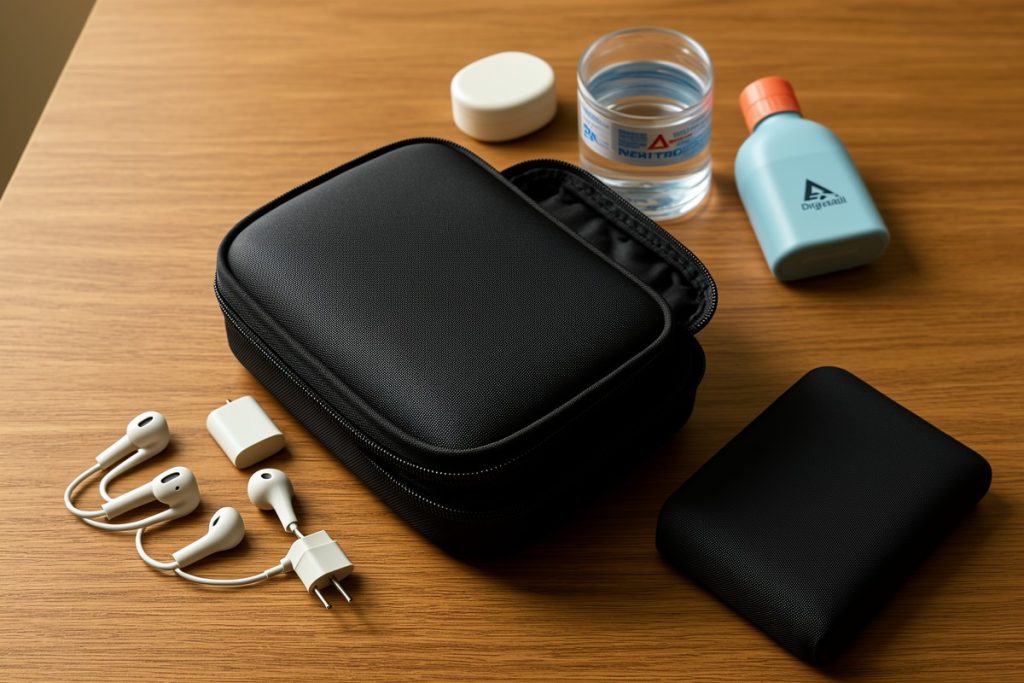
The Peak Design Tech Pouch, Black may suit a nomad carrying several small accessories because its listed design includes origami-style storage, a cable pass-through, and weatherproof recycled nylon. Those features make it a reasonable option for a standard or presentation kit, but not a universal choice. Its structure may be excessive for a minimalist load, and it does not replace a protective laptop sleeve. Compare its dimensions with your existing day bag before buying.
Pack for fast access, not perfect organization
Put the items you use most near the opening: charging cable, headphones, and adapter. Keep heavier objects low and avoid filling every compartment simply because space exists. One open area can be useful for a receipt, small accessory, or item you need to return to the kit before leaving.
Keep your laptop in a dedicated sleeve rather than relying on an accessory organizer for protection. Store passports, identity documents, medication, and emergency cash separately from your electronics so you can access them without unpacking the entire kit. In a shared workspace, close the pouch before stepping away and avoid leaving valuable devices unattended.
For air travel, remember that a tidy pouch does not replace battery-safety rules. The TSA states that spare lithium batteries and power banks must be carried in carry-on baggage rather than checked baggage. The FAA also provides limits and handling guidance that can vary according to battery capacity and airline procedures. Check both the current official guidance and your carrier’s rules before flying.
Prepare for unreliable connectivity
Nomad work often fails because of access problems rather than missing hardware. Before leaving, download the files you need for offline use and confirm that important accounts have a recovery method that does not depend on one device. If you use phone tethering, verify that your plan permits it and understand how quickly it can consume data.
Test unfamiliar adapters before a presentation. A connector that works with one laptop or display may not work with another. Save a copy of essential presentation files in a second location, but avoid carrying multiple drives without a reason. The goal is redundancy for important work, not a museum of old accessories.
For long sessions, check the destination’s practical conditions: outlet availability, noise level, seating, opening hours, and whether calls are acceptable. A smaller kit in a suitable workspace is usually more effective than a larger kit in an unsuitable one.
Use a five-minute reset routine
End each workday by returning the kit to a known baseline. This prevents the common problem of leaving one important item behind at a café or in a coworking meeting room.
- Remove receipts, wrappers, and accessories you did not use.
- Recharge the power bank and any device needed for the next morning.
- Return the charger, headphones, adapter, and backup item to their usual locations.
- Check tomorrow’s destination and remove anything it will provide.
- Inspect for moisture before closing the organizer.
After one week, review what you carried versus what you used. If an item repeatedly stays untouched, move it to a travel reserve instead of carrying it every day. If you repeatedly borrow the same item from a coworking space, consider whether it belongs in your standard kit.
Keep your everyday kit separate from your travel kit
A coworking kit should be ready for a café, library, or shared office. A travel kit has a different purpose and may include passports, backup storage, international adapters, and other items that need stronger security. Combining both creates unnecessary weight and makes it harder to find what you need.
Keep the everyday kit compact enough to carry without hesitation. Rebuild it when your work changes, your destination changes, or your bag changes. The right setup is not permanent; it is a practical system that makes ordinary workdays easier while leaving room for the unpredictability that makes nomad life worthwhile.