Quick answer
A reliable digital nomad backup plan protects four things: internet, power, files, and account access. Use primary and secondary connectivity, carry a compact charging setup, keep encrypted copies of essential work offline, and store recovery details securely. Test each fallback before travel, then document what you will do during an outage. This turns a stressful interruption into a short, repeatable procedure.
Key takeaways
- Plan for separate internet, power, file, and login failures.
- Test every backup during normal working hours before relying on it.
- Keep essential files encrypted and accessible without your main device.
- Make your emergency kit easy to find, carry, and replace.
By Casey Blake, Realistic Remote Work Advisor
Why digital nomads need a continuity plan
Remote work often depends on several fragile links at once: a rental’s Wi-Fi, a local power supply, one laptop, one charger, and accounts protected by a single phone. Any one of these can fail at the worst possible time, especially when you are preparing for a client call or approaching a deadline.
A backup plan is not a giant emergency kit. It is a short set of alternatives that keeps you productive when normal conditions disappear. The goal is not to duplicate everything you own. It is to identify the failures that would stop your work and prepare a practical second option for each one.
Start with a work-dependency audit
Before buying equipment or booking a coworking space, list what your work requires. Include the applications you use, the files you need, your regular meeting hours, the devices you depend on, and the people who must be contacted if you are delayed.
Separate requirements into three categories:
- Must work: video calls, email, project management, file access, and two-factor authentication.
- Can wait: large downloads, system updates, backups, and nonurgent administration.
- Can be replaced: tasks that can be completed from a phone, postponed, or delegated.
This distinction helps you spend money where it matters. If your only urgent need is joining a weekly meeting, you may need a reliable data connection and charged device more than a full second workstation.
Build four layers of protection
| Risk | Primary setup | Fallback | Test before travel |
|---|---|---|---|
| Internet outage | Accommodation Wi-Fi | Local mobile data or a second network | Join a test call from the fallback connection |
| Power failure | Wall charger | Charged power bank and alternate charging location | Charge each essential device from the backup |
| File or device failure | Cloud workspace | Encrypted offline copy of essential files | Open the files without the primary device |
| Account lockout | Password manager and authentication app | Secure recovery method | Confirm recovery details are current |
Keep the plan simple enough to remember. A fallback that requires five unfamiliar steps is unlikely to help during a stressful outage.
Make your internet backup realistic
Accommodation Wi-Fi should be treated as your primary connection, not your only connection. Ask before arrival whether the router is inside the property, whether the workspace receives a strong signal, and whether the host knows of regular outages. “Fast Wi-Fi” in a listing does not explain reliability, upload performance, or what happens when the building loses service.
A local SIM, eSIM, or hotspot can provide a useful second connection, but check coverage in your actual neighborhood. Verify that your device supports the network, that your plan allows tethering, and that you have enough data for a meeting-heavy workday. If your work involves confidential information, use a trusted connection and follow your employer’s security requirements rather than joining any convenient public network.
Test the backup at the time you normally work. A connection that performs well late at night may struggle during busy daytime hours. Run a short call, upload a small work file, and check whether the device stays charged while tethering.
Prepare for power problems without overpacking
Start with the devices that keep you operational: laptop, phone, authentication device, and any essential accessories. Carry the correct charging cables together, and keep one charging method available outside your accommodation. That might mean a power bank, a coworking location, or a nearby library or hotel business area.
Do not assume a power bank solves every outage. It must be charged, compatible with your devices, and available when you need it. Check airline and local transport rules before flying with larger batteries. At your accommodation, identify the nearest place where you could work and recharge if the outage lasts longer than your backup battery.
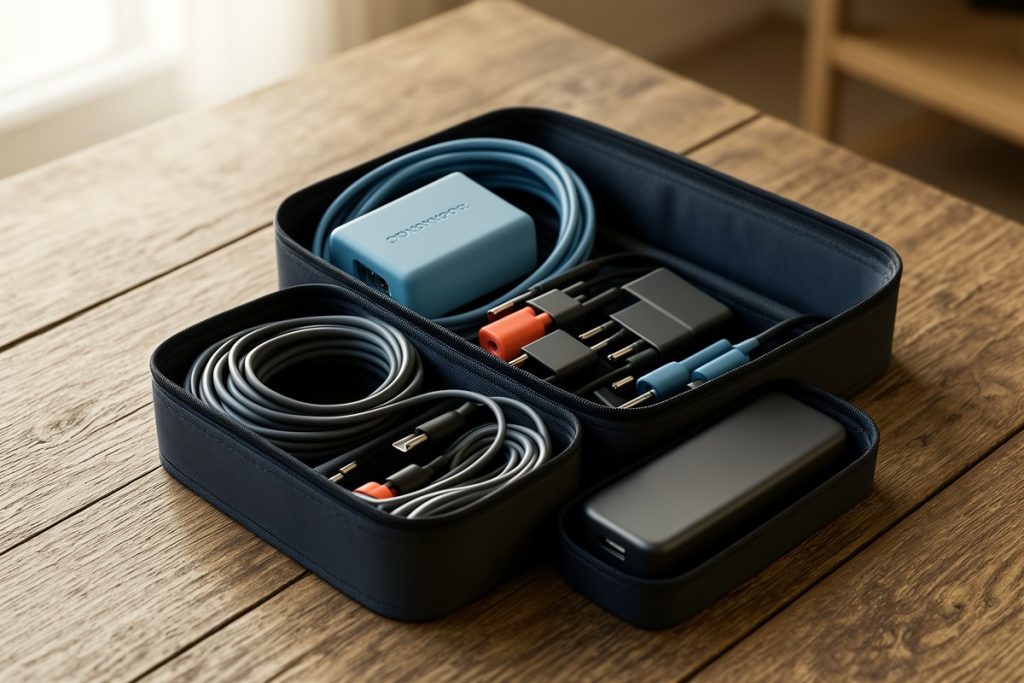
For travelers whose weak point is scattered backup cables, the tomtoc Electronics Organizer Travel Case is one option for keeping cords, chargers, and small accessories together. Its value is organization rather than extra power or connectivity, so check whether its size and layout suit your particular kit before choosing it.
Protect files and account access
Cloud storage is convenient, but it should not be your only recovery plan. Identify the files you would need during a one-day disruption: current project documents, contact details, travel confirmations, invoices, and templates. Keep an encrypted offline copy where appropriate, and confirm that the copy can actually be opened without an internet connection.
Use a password manager and enable multifactor authentication where available. Store recovery codes securely rather than leaving them only on the device that may be lost or unavailable. If your employer manages your accounts, follow its approved process for backup codes, device replacement, and remote access.
Security matters more when you are moving between networks and locations. Avoid downloading sensitive files to shared computers, lock your devices when stepping away, and remove saved access from borrowed equipment. A backup should reduce downtime without creating a new privacy problem.
Run a 20-minute arrival test
Complete this test during your first day in a new base:
- Join a short call using the accommodation connection.
- Repeat the call using mobile data or your second connection.
- Charge your laptop and phone from your backup battery.
- Open essential files with Wi-Fi disabled.
- Confirm that your authentication and recovery methods work.
- Locate one quiet alternate workspace and its opening hours.
Write down the results, including weak signal areas, noisy periods, charging limitations, and any missing cables. Fix small problems immediately. Replacing a cable on day one is easier than discovering the problem during a paid meeting two weeks later.
Keep the plan easy to maintain
Review the kit whenever your work changes. A new laptop may require different charging equipment. A longer stay may require more storage or a local data plan. A new client may introduce stricter security rules. Remove items you no longer use, but do not remove a backup without confirming that another one still works.
The best digital nomad backup plan is boring, visible, and tested. It gives you a second way to connect, charge, access essential work, and recover your accounts. That modest preparation can protect both your income and your attention when travel inevitably becomes less predictable.
Last reviewed: 2026-09-18