Quick answer
The best carry-on tech setup for a digital nomad is compact, organized, and built around one normal workday. Pack the charger, cables, adapter, power bank, and communication accessories you actually use, then keep them accessible in your personal item. A structured tech pouch can reduce searching and protect small gear, but it should not encourage you to carry unnecessary extras.
Key takeaways
- Build your kit around your primary work device and a realistic daily routine.
- Separate essential equipment from helpful extras and unlikely contingencies.
- Keep power banks and spare lithium batteries in your carry-on, with terminals protected.
- Choose an organizer for quick retrieval, not simply maximum storage capacity.
Why carry-on tech gets complicated for digital nomads
Remote workers rarely pack for one predictable environment. A single trip may include an airport lounge, an overnight train, a coworking space, a café, and a rental apartment with unfamiliar power outlets. Each setting creates a reason to add another cable, adapter, battery, or accessory.
That is how a small work kit becomes a tangled collection of duplicates. You may carry three charging cables and still spend ten minutes searching for the one that fits your phone. You may bring a backup mouse but forget the adapter needed to connect your laptop at the destination.
The goal is not to carry every possible solution. It is to create a repeatable system that answers three practical questions: Can you power your main device? Can you connect in the country or workspace you are visiting? Can you continue working if one small item fails?
Build the kit around a normal workday
Start with the device you genuinely use for work. For many digital nomads, that means a laptop or tablet, its charging brick, a phone, and a pair of earbuds. Add a compact power bank and destination-appropriate travel adapter if your route requires them.
Then divide everything into three groups:
| Group | What belongs there | Where to pack it |
|---|---|---|
| Essential | Main charger, primary cable, phone cable, required adapter | Most accessible part of your personal item |
| Helpful | Earbuds, short extension cable, mouse, card reader | Tech organizer or secondary pocket |
| Contingency | Duplicate cables and specialty connectors | Pack only when the itinerary justifies them |
This system keeps hypothetical problems from taking over your bag. A photographer may need camera cables and memory-card storage. A developer may need a particular connector or portable keyboard. Someone working primarily from a phone may need far less. The right kit is personal, but the sorting principle works for almost everyone: pack for the work you expect to do, not every type of work you might do.
Choose an organizer for retrieval, not appearance
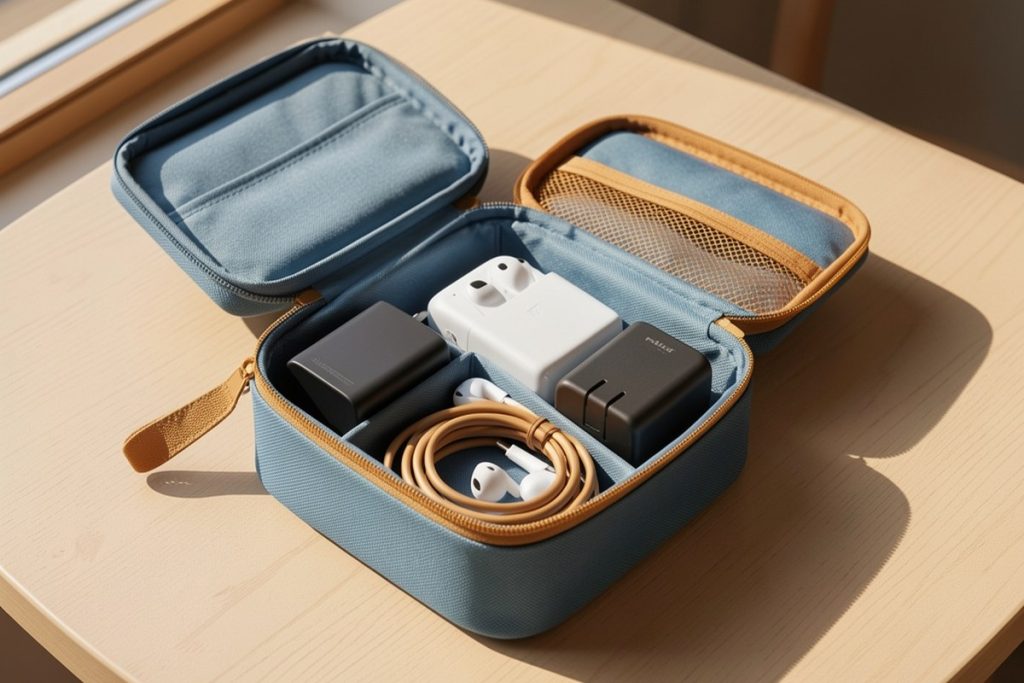
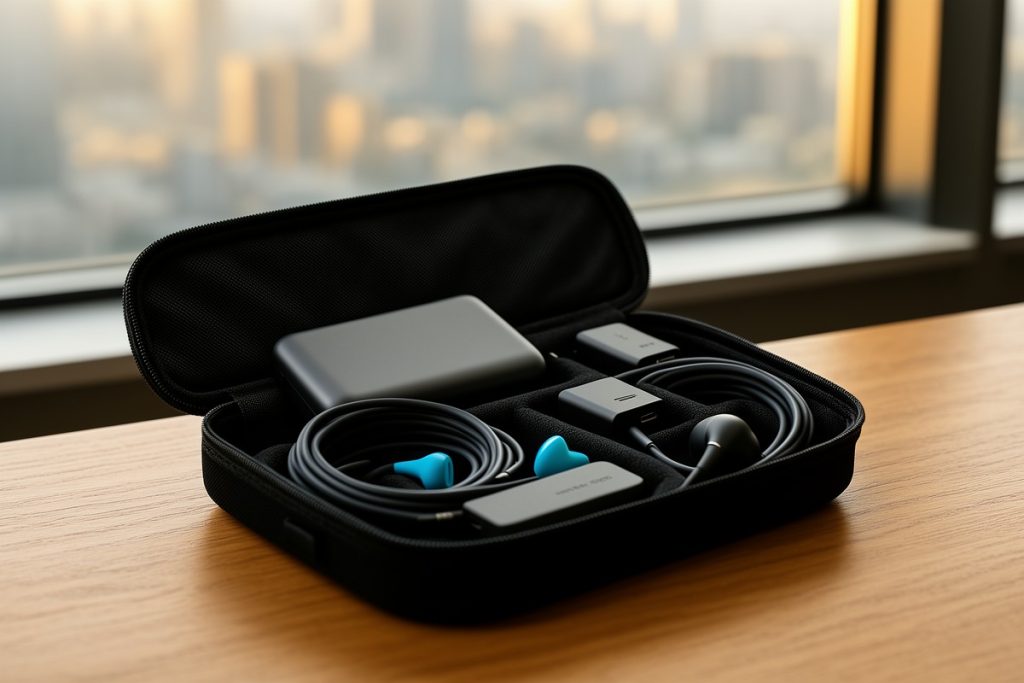
A tech pouch is useful when it makes small accessories easier to find, keeps cables from becoming tangled, and gives each item a consistent home. Look for internal separation, a secure place for tiny accessories, durable materials, and an opening that lets you see the contents without emptying the entire pouch.
Capacity can be misleading. Thick charging bricks, plugs, and international adapters take up more room than flat cables. A pouch that feels spacious when empty may become bulky once filled. Before buying, lay out your complete kit and compare it with the manufacturer’s listed dimensions. Pay particular attention to the largest item, not the average cable.
A cable pass-through can help when a power bank remains inside the pouch while a phone charges outside it. That feature is convenient for some travelers, but it is not essential for a minimalist setup. If your kit contains one charger and one cable, a simple zip pouch may be lighter and perfectly adequate.
One structured option is the Peak Design Tech Pouch, Black, Electronics Organizer for Travel or Everyday Carry, Origami-Style Storage, Cable Pass-Through, Weatherproof Recycled Nylon, Gear Carry Bag for Men and Women. Its listed organization features make it relevant for travelers carrying several small accessories and wanting them separated. It may be more pouch than you need if your setup is minimal, so compare its size and structure with the contents you already own rather than buying based on capacity alone.
Keep essential technology easy to reach
Your most important charger should not be buried beneath clothing or placed in checked luggage. If a checked bag is delayed, your personal item should still contain the equipment needed to communicate, access reservations, charge your phone, and begin work.
Pack the essential charger and one primary cable in an easy-access compartment. Keep the rest of the accessories together so you can move between a gate, train seat, or café table without unpacking your entire bag. When you finish working, return each item to the same pocket immediately. This habit matters more than having a sophisticated organizer.
It is also worth separating “must work” gear from “nice to have” gear. If your laptop charger is essential, it should not share a difficult-to-reach pocket with an adapter you may never use. Organization should reduce decisions when you are tired, rushed, or changing locations.
Follow battery safety rules when flying
Power banks and spare lithium batteries belong in carry-on baggage rather than checked luggage. The Transportation Security Administration’s power-bank guidance identifies these items as carry-on-only, while airline and security staff may require them to be removed for inspection.
The Federal Aviation Administration’s lithium-battery guidance also recommends protecting spare battery terminals from short circuits. Keep a power bank in a dedicated compartment and avoid placing loose batteries beside keys, coins, or other metal objects. Do not travel with a battery that is swollen, damaged, unusually hot, or otherwise defective.
Battery capacity rules can vary depending on the battery’s watt-hour rating and the airline. Check the current policy of the operating carrier before departure, especially if you carry larger batteries or several spare units. An old packing list is not a substitute for the airline’s current requirements.
Use this five-minute predeparture checklist
- Charge your laptop, phone, and power bank before leaving.
- Connect each cable to the device it is intended to serve.
- Confirm that your travel adapter matches every country on your route.
- Remove duplicate accessories unless a specific work task requires them.
- Place batteries, chargers, and critical communication gear in your personal item.
- Check the operating airline’s current rules for lithium batteries.
For a multi-country trip, save the adapter type and airline battery guidance in your travel notes. Do this before you leave home, when you still have time to replace a missing item. Airport shops can be useful, but they are an expensive and unreliable backup plan.
Review the kit after each trip
When you return, do not simply put the entire pouch back into your bag. Remove items you never used and ask whether they support the next trip. A short city stay may require less than a month-long stay across several countries. A client visit may justify a backup cable that a beachside work week does not.
Track repeated problems instead of guessing at solutions. If you regularly borrow an adapter, add the correct one. If a cable always falls behind a desk, choose a shorter replacement. If the organizer stays half-empty, reduce the load. Your travel system should improve from evidence gathered during real journeys.
The most reliable digital nomad gear is usually unremarkable: a few compatible accessories, clear storage locations, and enough redundancy for realistic failures. A structured tech pouch can make that routine easier, but the bigger win comes from deciding what deserves space before you pack.
By Casey Blake (Realistic Remote Work Advisor)
Last reviewed: 2026-08-28