Quick answer
To recharge a portable power station during an outage, place a compatible solar panel in unobstructed sunlight, connect it only within the station’s stated solar-input limits, and monitor charging as conditions change. A 100W panel can provide useful daytime energy for phones, lights, routers, and other modest loads, but its real output depends on sun angle, clouds, heat, shading, and cable losses.
Key takeaways
- Check the power station’s maximum solar voltage, current, wattage, and connector before connecting a panel.
- A panel’s rated wattage is an ideal maximum, not a guaranteed continuous output.
- For outage planning, calculate energy in watt-hours rather than relying only on battery percentage.
- Use solar charging for essential loads first, and move the panel as the sun changes.
- Keep the battery and cables dry unless the power station and all connections are specifically rated for wet conditions.
When the grid goes down, a portable power station can keep essential devices operating for a while. The harder problem is extending that runtime. Once the internal battery is depleted, wall charging may not be available, and a fuel generator brings noise, fuel storage, ventilation, and maintenance concerns.
A portable solar panel offers a quieter way to add energy during daylight. It is not a substitute for a whole-home backup system, but it can be practical for a small outage kit. The key is matching the panel to the battery, setting realistic expectations, and treating available sunlight as a variable resource rather than a guaranteed power supply.
What a 100W solar panel can realistically do
The “100W” rating describes the panel’s maximum output under defined test conditions. Outdoor performance is usually lower because the panel may not face the sun directly, clouds may pass overhead, the surface may heat up, or a nearby tree may cast partial shade. Dust, connector resistance, and the power station’s own charging electronics can reduce delivered energy as well.
A simple planning calculation still helps. If a power station contains 500 watt-hours of usable energy, dividing 500Wh by 100W gives five hours of ideal full-output charging. That is a best-case floor, not a promise for a normal day. In practice, you should allow more time and avoid planning around the battery’s entire advertised capacity.
For an outage, a panel in this class is best suited to modest, repeatable needs: phones, rechargeable lights, a Wi-Fi router, radios, camera batteries, or short periods of laptop use. It is generally a poor match for high-draw heating appliances, kettles, hair dryers, hot plates, or large refrigerators unless the power station and solar input system are specifically designed for those loads.
Check compatibility before connecting anything
Solar panels are not universal plug-and-play chargers. The power station determines the acceptable solar-input voltage and current range. A panel can be too low to charge effectively, or its voltage can exceed the station’s limit and create a safety or equipment risk.
Read both product manuals and confirm four details:
- Maximum solar voltage: The panel’s operating and open-circuit voltage must stay within the station’s permitted range.
- Maximum solar current: The station may limit how much current it can accept even if the panel can produce more.
- Maximum solar wattage: A panel above the input limit may be capped, but never assume excess capacity is automatically safe.
- Connector and polarity: The plug must fit correctly and match the required polarity. Do not force an adapter.
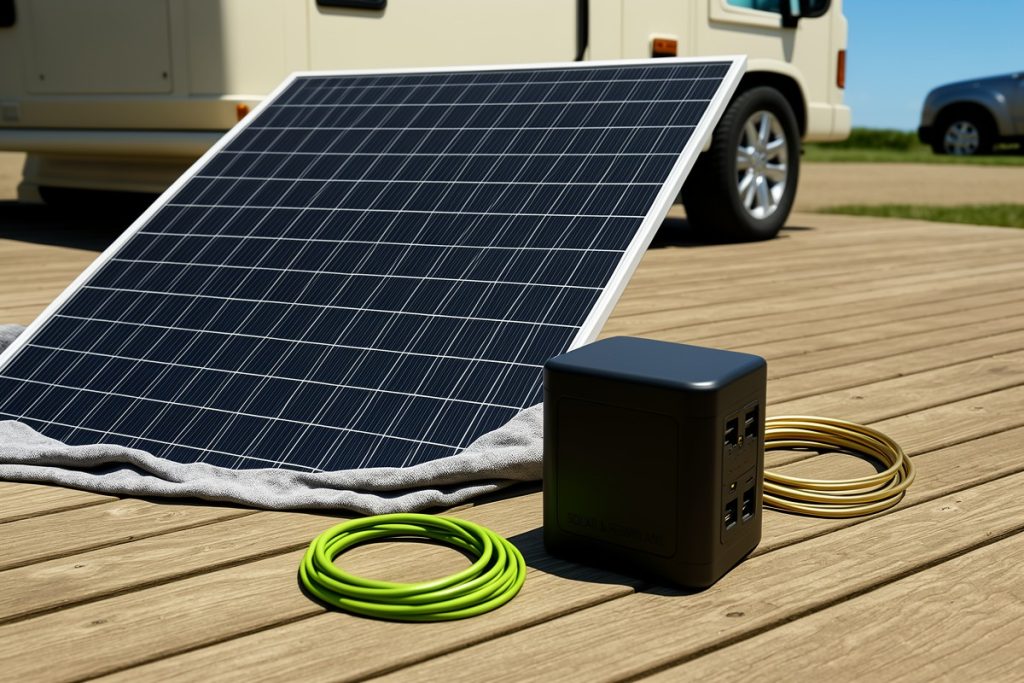
For a straightforward single-panel setup, the 100W Portable Solar Panel for Power Station Generator may be worth considering because its listed design is foldable, waterproof, and intended for portable power-station charging. Those features do not establish compatibility with every battery, however. Confirm the receiving station’s input specifications before buying or connecting it, and treat “high efficiency” as a product claim rather than a guaranteed field result.
How to set up solar charging during an outage
Start by placing the panel where it receives direct, unobstructed sunlight for the longest useful period. A patio, driveway, balcony, or clear patch of ground can work. Avoid locations where a roof edge, railing, chimney, or tree creates partial shade. Even a narrow shadow across part of a panel can reduce output more than expected.
Angle the panel toward the sun and reposition it during the day if practical. A flat panel may still charge, but its output will usually be stronger when its surface is aimed more directly at the sun. Keep the power station in a shaded, ventilated location rather than leaving the battery itself in intense heat.
Connect the panel to the station only after verifying the specifications. Check that the charging indicator appears, then observe the input reading if the station provides one. A low reading on a bright day may indicate poor positioning, shading, a loose connection, unsuitable temperature, or a compatibility problem.
Do not place connectors in standing water or leave connection points exposed to rain unless the complete setup is rated for that environment. “Waterproof” may describe the panel fabric or housing, not every cable, plug, adapter, or power station. Disconnect the system before changing cables, moving equipment, or investigating a fault.
Plan the battery around essential loads
During a prolonged outage, the most useful question is not “How long will this battery last?” but “Which devices must run, and for how long?” Write down each device’s wattage and expected daily operating time. Multiplying watts by hours gives watt-hours. Add the devices together, then leave a reserve for conversion losses and unpredictable weather.
| Load | Practical outage approach |
|---|---|
| Phone charging | Charge during daylight and avoid keeping devices plugged in unnecessarily. |
| LED lighting | Use low-wattage lights for limited evening periods. |
| Wi-Fi router | Run it only when internet access or local networking is needed. |
| Refrigerator | Check startup surge and continuous wattage; test compatibility before an emergency. |
| Heating or cooking | Usually unsuitable for a small solar-panel-and-battery setup. |
Reserve the stored energy for safety and communication first. If clouds are expected, charge critical devices earlier and reduce optional loads. A power station that spends the evening running a high-wattage appliance may have little capacity left for overnight lighting or communications.
A practical pre-outage checklist
- Record the power station’s solar-input voltage, current, wattage, and connector requirements.
- Test the panel and charging cable on a clear day before an emergency occurs.
- Mark essential devices and estimate their daily watt-hour needs.
- Keep cables, adapters, and manuals together in a dry container.
- Inspect the panel for damaged wiring, cracked connectors, or frayed material.
- Decide where the panel can receive sunlight while the battery remains shaded and secure.
What to expect from solar charging in real weather
Solar charging is most predictable when the panel has a clear view of the sky and the battery is not already too hot or cold. Morning and late-afternoon sunlight can charge the battery, but output is commonly weaker than around midday. Heavy cloud, smoke, snow, or nearby shade can extend charging time substantially.
That variability is not a reason to dismiss portable solar. It is a reason to use it for the right job: gradually restoring energy to a battery between essential uses. For a short outage, that may be enough to keep communications, lights, and small electronics available without running an engine. For multi-day outages or large appliances, compare the panel’s daily energy contribution with the actual load and consider a larger, tested backup system.
Last reviewed: 2026-09-18
Sources
- Power Outages — Ready.gov
- Energy Storage — U.S. Department of Energy