When Apple moved the iPhone to USB-C starting with the iPhone 15, most coverage focused on the European Union mandate and the convenience of carrying one cable. Two years later, as the iPhone 16 and upcoming iPhone 17 lineup settle into the USB-C ecosystem, a quieter conversation has emerged among owners: are there new charging risks, and should you change your habits?
The short answer is that modern iPhones are engineered to prevent true overcharging through onboard power-management circuits. However, the switch to USB-C has introduced real-world variables—mixed-brand cables, higher-wattage adapters, and increased heat during fast charging—that are worth understanding. Here is what the current data and recent repair reports actually say.
Why the USB-C Transition Still Generates Uncertainty
Apple’s Lightning connector had a decade-long run. By the time the iPhone 15 launched with USB-C, an entire accessory market had to recalibrate. The change was not merely cosmetic. USB-C is a universal standard, but it is also a complex one. Not every USB-C cable carries the same power rating, and not every power brick negotiates wattage the same way.
The EU mandate required universal charging by late 2024, and Apple complied across the entire iPhone 15 lineup. Yet compliance on the manufacturing end does not automatically translate to consumer confidence. Many households now have drawers full of USB-C cables accumulated from Android phones, tablets, laptops, and budget travel kits. Visually identical ports can hide vastly different power-delivery specifications. A cable rated for 60 watts may warm up when asked to carry a sustained 100-watt handshake, even if the iPhone itself never requests that much.
What “Overcharge Protection” Actually Means on Modern iPhones
iPhones have contained lithium-polymer charge controllers for years. These chips communicate directly with the power adapter to ramp down current as the battery approaches 100 percent. In other words, the phone itself decides when to stop drawing full power. That engineering does not disappear just because the physical port changed.
It is worth noting that “overcharge” in the popular imagination—imagining a battery swelling or failing because it was left plugged in overnight—is largely a myth with modern hardware. The concern that remains is calendar aging and cycle count. A battery kept at 100 percent for hours every night, especially in warm rooms, will age faster than one kept at 80 percent. The difference is measured in months over a multi-year lifespan, but it is real enough that power users and repair enthusiasts track it closely.
Current Trends in Battery Health Complaints
Search data and independent repair-community chatter indicate that queries about iPhone 15 and iPhone 16 battery health spiked in the months following each launch, then normalized. The pattern is consistent with previous iPhone generations. Early adopters frequently monitor battery percentage more closely, leading to perceived issues that stabilize after a few charge cycles.
However, one newer variable is worth watching. Because USB-C cables are now shared across iPhones, MacBooks, iPads, and Android devices, households are mixing power sources more than ever. A 140-watt MacBook Pro charger will not “overcharge” an iPhone because the phone negotiates down, but the negotiation process itself can generate brief heat. Repeated daily fast-charging cycles, especially from near-empty to full, will degrade a battery faster than slow charging over the long term. This is physics, not a manufacturing defect.
Practical Steps: Safer USB-C Charging Habits
If you want to minimize risk without overthinking your routine, a few habits go further than buying new gear. Start by matching the cable to the use case. Use Apple-certified or reputable USB-C cables rated for your specific adapter, and reserve high-wattage laptop bricks for when you genuinely need a fast boost.
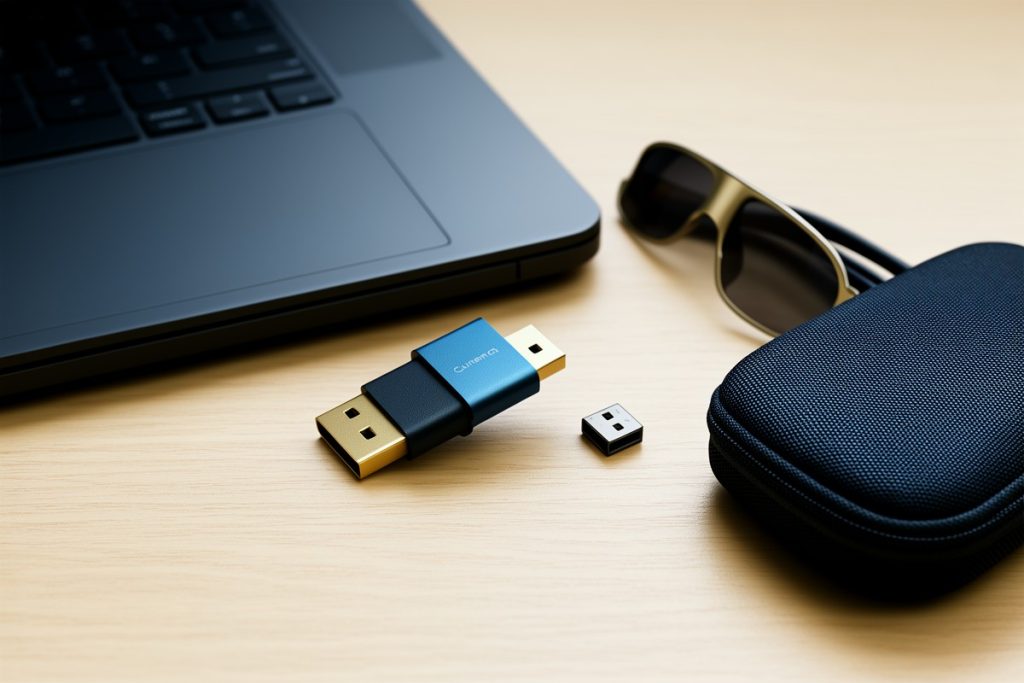
For owners who remain anxious about overnight charging—or who want a physical safeguard for travel, shared workspaces, or family devices—an automatic disconnect adapter can add a layer of hardware-level cutoff. These small USB-C inline devices stop current flow once the downstream device signals it is full. One option built for this use case is the 2PCS Innovative Overcharge Protection Adapter for iPhone 15-17 and other USB-C devices, which supports up to 140W and physically disconnects when charging is complete. It is not a necessity for every user, but it offers tangible peace of mind if you prefer an external off switch.
Beyond accessories, use this short checklist to protect battery health:
- Remove thick cases if the phone feels warm during charging.
- Avoid charging under pillows, on sofas, or inside closed bags where heat cannot escape.
- Enable “Optimized Battery Charging” in iOS settings, which learns your schedule and delays full completion until you typically unplug.
- Keep your battery between 20 and 80 percent when possible for longest lifespan, though daily 100 percent charges are within normal design limits.
- Inspect cables monthly for fraying or discoloration near the connector, and retire any that feel hot to the touch.
Regulatory Context: Why This Matters Now
The EU’s Radio Equipment Directive, which drove Apple’s USB-C adoption, continues to evolve. Regulators are now scrutinizing charging protocols to ensure interoperability does not come at the cost of safety. Meanwhile, right-to-repair legislation in multiple U.S. states is pushing manufacturers to provide clearer battery-health data to consumers. Some jurisdictions are even exploring standardized labeling for cable wattage ratings so buyers can tell at a glance whether a cord is appropriate for their device.
These policy shifts mean charging behavior is no longer just a tech-support topic; it is a consumer-rights issue. As standards converge, users are rightly asking whether universal cables create universal vulnerabilities. The consensus among independent repair technicians is that standardization is a net positive, but education about wattage ratings and heat management still lags behind the hardware changes. Public awareness campaigns are expected to ramp up in 2026 as more legacy Lightning devices leave circulation.
Bottom Line for iPhone 15 to 17 Owners
You do not need to replace your cables with exotic accessories to keep your iPhone safe. The iPhone 15, 16, and forthcoming 17 models handle power intelligently. Your main adversary is sustained heat, not overvoltage. Use quality cables, avoid baking your phone under bedding while it charges, and let iOS optimized charging do its job.
If you frequently share chargers between a MacBook and an iPhone, remember that the phone controls the flow, but the adapter and cable quality determine how efficiently that negotiation happens. If you want an extra physical safeguard, disconnect adapters are available, though they should be viewed as a convenience or backup accessory rather than an essential repair tool.
Last reviewed: 2026-08-05