
Quick answer
You can make an airport workday reliable by matching tasks to the time you actually have: do deep work before security, use post-security waiting time for calls or admin, and reserve boarding for offline tasks. Arrive with files downloaded, devices charged, a hotspot backup, and a small power kit. Treat quiet, power, and connectivity as bonuses—not guarantees.
Key takeaways
- Plan airport work in short, flexible blocks rather than expecting a normal office day.
- Download essential files and messages before leaving reliable Wi-Fi.
- Keep charging equipment and backup connectivity accessible in your carry-on.
- Use airport time for tasks that can survive noise, interruptions, and delays.
Why airport work requires a different plan
An airport is not a portable office. Your seat may be uncomfortable, the gate may change, announcements may interrupt calls, and a short security line can turn into a long one without warning. Even a quiet lounge can become unusable when you need to move to another gate.
The mistake many remote workers make is carrying a normal office workload into an abnormal environment. Instead of scheduling a two-hour focus session, build a travel-day plan around tasks that can be paused, moved, or completed offline. Your goal is not to recreate your desk. It is to protect the work that truly needs to happen while leaving everything else for a more dependable connection.
Match each airport time window to the right task
Start by separating your work into three groups: tasks requiring concentration, tasks that tolerate interruptions, and tasks that work without an internet connection. Then assign them to the part of the journey most likely to support them.
| Travel window | Best-fit work | What to avoid |
|---|---|---|
| Before leaving home | Writing, analysis, project planning, file downloads | Relying on airport Wi-Fi for essential files |
| Waiting after security | Email, scheduling, expense logging, short calls | Promising uninterrupted deep work |
| At the gate | Reading, editing offline files, outlining, reviewing notes | Starting a task with a hard deadline |
| During boarding or delays | Saved articles, checklists, light planning | Tasks that require privacy or stable connectivity |
For a short wait, choose one task with a clear stopping point. “Reply to three client messages” is more realistic than “clear my inbox.” If you have a longer layover, use the first part for focused work and keep the final 30 minutes flexible for gate changes, boarding, food, and charging.
Prepare a travel-day work queue before you leave
A useful airport work queue is deliberately small. Pick one essential outcome, two useful secondary tasks, and a list of offline fallbacks. This prevents you from spending your limited attention deciding what to do next.
- Essential: the one action that would create a real problem if delayed, such as sending a client deliverable or approving a time-sensitive change.
- Secondary: tasks that are helpful but can move to tomorrow, such as inbox replies or calendar cleanup.
- Offline: downloaded briefs, drafts, reading, editing, or planning that does not require a live connection.
Download files while you still have dependable internet, and open them once before departing. That quick test can reveal missing permissions, cloud-only folders, or software that needs an update. If a task depends on a colleague, ask for the required information before the travel day instead of assuming you will be able to reach them from the terminal.
Pack for recovery when power or Wi-Fi fails
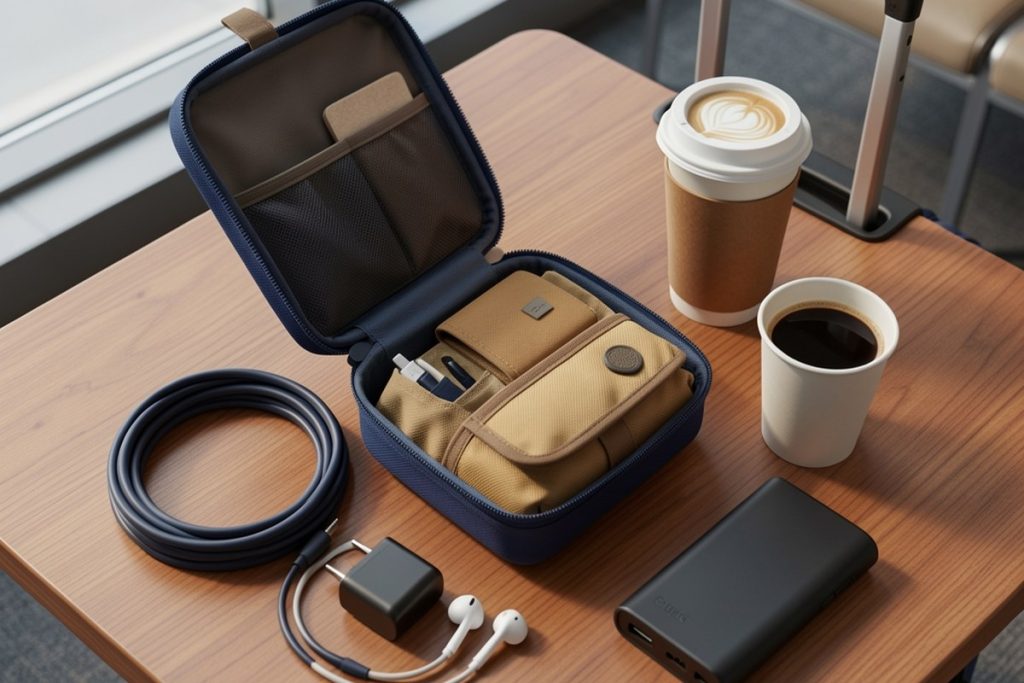
Airport productivity often ends because one small accessory is missing. Keep your charger, preferred cable, earbuds, adapter, and backup battery where you can reach them without unpacking your entire bag. A fully charged laptop helps, but it is not a substitute for a charging plan.
If your carry-on has loose cables and adapters, an Electronic Organizer Travel Case may be a practical option. Its listed design includes eight pockets, water-resistant nylon, and space intended for laptop chargers, cables, and other tech accessories. It is not a power source or a guarantee that everything will fit; check the dimensions against your own charger before buying. The benefit is simply faster access during a rushed connection.
Power banks and spare lithium batteries should remain in carry-on baggage rather than checked luggage, according to the Federal Aviation Administration. Protect spare batteries from contact with metal objects, and check your airline’s rules before traveling because limits and procedures can vary. Keep the battery accessible, not buried beneath clothing or shoes.
Use connectivity without making your deadline dependent on it
Public airport Wi-Fi can be useful for low-risk tasks, but do not build your entire workday around it. Before traveling, save important files locally, enable your phone’s hotspot if your plan allows it, and make sure your authentication method works when your primary device is unavailable. A backup connection is most valuable when you have tested it before departure.
On shared networks, use the security habits recommended by the Cybersecurity and Infrastructure Security Agency: confirm that websites use HTTPS, avoid entering sensitive information on suspicious pages, and keep your operating system and applications updated. Multi-factor authentication adds another layer of protection, especially if you work with customer, financial, or business data.
For confidential work, consider whether an airport is an appropriate setting at all. Angle your laptop away from passing traffic, avoid discussing private information on speakerphone, and postpone sensitive calls if you cannot find a reasonably private space. Productivity is not worth exposing a client file or personal account.
Protect your schedule from airport uncertainty
Tell coworkers or clients that you are traveling and give them a realistic response window. You do not need to announce every movement, but a simple message such as “I will be in transit from 10 a.m. to 2 p.m. and may respond asynchronously” prevents people from expecting office-style availability.
Set a cutoff before boarding. Save drafts, send essential updates, close sensitive tabs, and place your devices in a ready-to-stow state. If your flight is delayed, reassess rather than automatically filling the extra time with more commitments. A delay can create useful work time, but it can also be the only buffer you have for food, rest, or a gate change.
A five-minute airport work checklist
- Confirm the gate, boarding time, and next realistic work window.
- Charge your laptop, phone, and backup battery before leaving or during the first available break.
- Download essential files and open them once offline.
- Choose one must-do task, two optional tasks, and one offline fallback.
- Connect only through a trusted network or tested hotspot for sensitive work.
- Save your work and stop before boarding becomes urgent.
The best airport workday is intentionally modest. Finish the one task that matters, use waiting time for low-friction work, and preserve enough attention to travel safely. A flexible plan will outperform an ambitious schedule every time the gate changes, the Wi-Fi drops, or the journey takes longer than expected.
Last reviewed: 2026-08-24