Quick answer
A fall desk reset works best as a seasonal changeover rather than a frantic deep clean. Empty the surface, remove items you no longer use, group supplies by how often you reach for them, and give each group a defined home. Then adjust your lighting, screen position, and daily closing routine so the desk stays practical through shorter, darker days.
Key takeaways
- Sort everything into keep here, keep nearby, move elsewhere, and remove.
- Store daily-use items within comfortable reach and occasional items farther away.
- Use clear organizers for small supplies only when visibility helps you retrieve them.
- Check lighting, monitor position, cords, and chair clearance as daylight changes.
- Finish each workday with a five-minute reset to prevent clutter from returning.
Why fall is a useful time to reset your desk
Fall often changes how a workspace is used. Summer travel and flexible schedules give way to regular projects, school routines, indoor hobbies, and longer periods at a desk. Supplies that sat untouched for months may suddenly compete for space with notebooks, chargers, mail, and seasonal paperwork.
That makes September and October a useful checkpoint. The goal is not to create an empty, showroom-style desk. The goal is to make the next task obvious and easy to begin. A well-organized workspace should show you where frequently used items belong without requiring a search or a fresh decision every time.
Start by removing friction, not by buying storage
Before choosing containers, clear the desktop, drawers, and the floor area immediately around your chair. Put everything into four temporary groups:
- Keep here: items used most workdays.
- Keep nearby: items used weekly but not constantly.
- Move elsewhere: objects that belong in another room or another person’s workspace.
- Remove: duplicates, broken items, dried-out pens, and papers with no useful next step.
Use a 20-minute timer if the task feels too large. If you cannot decide about an item, place it in a small “decide later” box and set a date to revisit it within seven days. This keeps one uncertain object from stopping the whole reset. A temporary box is useful only when it has a deadline; otherwise, it becomes another permanent clutter zone.
Once the surface is empty, clean it according to its material. For electronics, power down first and follow the device manufacturer’s cleaning guidance. Do not spray liquid directly onto a keyboard, monitor, charging port, or other electronic component.
Build three practical desk zones
Return items to three zones: active work, quick access, and reserve storage. The active-work zone should contain only what supports the task in front of you. Quick-access storage is for pens, clips, cables, sticky notes, and other small tools you reach for repeatedly. Reserve storage is for extras and occasional-use items that can live in a drawer, cabinet, or box farther away.
This distinction matters because a container does not automatically create organization. If every drawer contains a random mixture, you have hidden clutter rather than reduced it. Give each container one broad purpose, then add smaller groupings only when they save time.
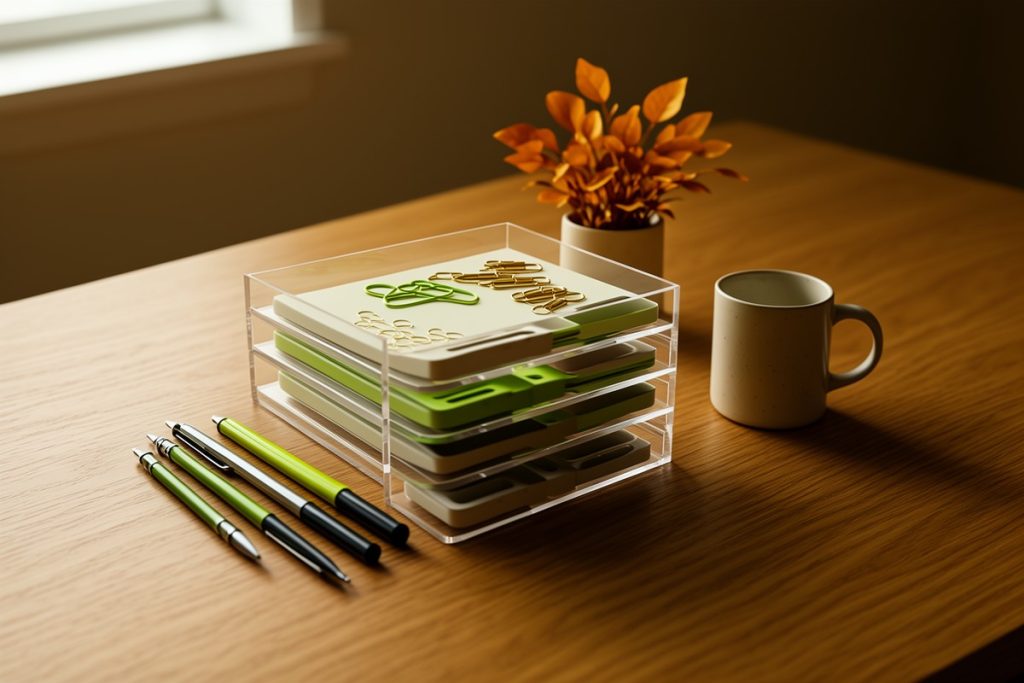
For small supplies, the 4-Pack 22-Drawer Acrylic Storage & Makeup Organizer for Desk may suit a workspace with limited drawer space. Its listed features include clear acrylic construction, smooth-glide drawers, stackable units, wipe-clean surfaces, and dustproof coverage. The drawers are intended for compact items such as pens, paper clips, thumb drives, and other office supplies.
It is not automatically the best choice for every desk. Transparent storage keeps contents visible, which can speed up retrieval but may also make a crowded collection look visually busy. Small drawers are better suited to compact supplies than notebooks, bulky headphones, or heavy equipment. Check your available desk depth and the size of the items you plan to store first. If you prefer a calmer visual field, closed or opaque storage may work better for reserve supplies.
Use access frequency to decide where things go
Sorting only by object type can produce awkward systems. A spare charging cable may deserve a quick-access home if you use it daily, while a box of replacement cables can stay in reserve storage. The better question is how often an item earns its space near you.
| How often you use it | Best location |
|---|---|
| Every day | Within comfortable arm’s reach |
| Several times a week | A nearby drawer or assigned organizer |
| Occasionally | Reserve storage outside the main work zone |
| Rarely or “just in case” | Question whether it needs to stay |
Make the desk more comfortable for darker days
A fall reset should address the physical setup as well as clutter. The Occupational Safety and Health Administration’s computer-workstation guidance recommends arranging frequently used items so you do not repeatedly reach, twist, or strain to access them. Keep the keyboard and mouse close, position the monitor so you can work without tilting your head, and leave enough space to move your legs freely.
Lighting deserves a seasonal check. A desk that felt comfortable during bright summer mornings may create glare or shadows as daylight shifts. Place a task light to the side rather than directly behind the screen, and adjust it so the work surface is visible without shining into your eyes. Route cords along the back or side of the desk, keeping the area around your feet clear.
Also look at ventilation and dust. The U.S. Environmental Protection Agency’s indoor-air-quality guidance identifies ventilation, moisture control, and regular cleaning as useful parts of maintaining indoor air quality. In practice, that can mean keeping vents unobstructed, opening a window when conditions allow, and cleaning the surfaces you actually use. Follow product labels when using sprays or stronger cleaning products.
A short fall desk reset checklist
- Clear the desktop, drawers, and floor area around the chair.
- Recycle old papers and remove duplicate or unusable supplies.
- Test frequently used pens, chargers, and small tools.
- Clean the desk and accessible equipment safely.
- Return only current-work items to the active zone.
- Leave one open area for writing, sorting, or a drink.
Keep the system working after the reset
Most desks become cluttered through small daily decisions, not one dramatic event. Create a five-minute closing routine: return loose supplies to their assigned zone, move papers to an action folder or recycling, coil charging cables, and leave the primary work area open.
Use the routine at the end of each workday and perform a longer review once a month. Notice what repeatedly migrates back onto the desktop. It may need a more convenient home, a smaller container, or removal from the workspace altogether.
At the end of fall, review what remained untouched. Those items may be better stored elsewhere, shared, donated, or discarded. Keep the system flexible enough to change with your work, but specific enough that your future self can restore it without guessing.
Last reviewed: 2026-09-25
Sources
- Computer Workstations: eTool — Occupational Safety and Health Administration
- Indoor Air Quality — U.S. Environmental Protection Agency