Quick answer
For long AI and coding sessions, build lighting in layers: soft indirect room light, a separate adjustable task light, and screen brightness that matches the room. Put the brightest source beside or behind the monitor rather than in your eyes. A smart corner lamp can provide flexible ambient light, but it should complement—not replace—a properly positioned task light.
Key takeaways
- Layered lighting is usually more comfortable than relying on one bright ceiling fixture.
- Use a corner lamp to fill dark areas and a task lamp for concentrated desk work.
- Check the screen for reflections before increasing brightness.
- Smart controls are most useful when they make lighting easier to adjust throughout the day.
AI work often means long stretches of reading documentation, writing code, reviewing model output, joining video calls, and switching between several tools. Lighting is easy to overlook because it does not appear in the software stack, but a poorly lit workstation can make the whole setup feel harder to use.
The goal is not to create a dramatic gaming-room effect. It is to make the desk easy to see without creating glare, harsh shadows, or a large contrast between the monitor and the rest of the room. The best approach is a practical lighting system that changes with the work.
Why a single ceiling light is rarely enough
A ceiling fixture can illuminate a room while still leaving your desk unevenly lit. Depending on its position, it may cast shadows across the keyboard, create reflections on the monitor, or place a bright source directly in your field of view. Turning it up can make those problems more noticeable rather than solving them.
AI and coding work also changes throughout the day. You might need a bright, clear environment for debugging in the morning, softer light for reading in the evening, and a more balanced setup for a video meeting. One fixed light source cannot handle all three situations well.
Layered lighting works better because each source has a job:
- Ambient lighting: Raises the general light level around the desk and reduces the contrast between the room and the monitor.
- Task lighting: Directs light toward paper, a keyboard, or another specific work area.
- Natural light: Adds useful brightness during the day, although it changes with the weather and time.
The U.S. Occupational Safety and Health Administration advises computer users to pay attention to glare, reflections, and adjustable lighting when arranging a workstation. That is a better starting point than choosing a lamp based only on appearance or color effects.
Where to place each light in an AI workstation
Start by looking at the monitor from your normal seated position. If you can see a window, bare bulb, or bright reflection in the display, move the light source or change the angle before making it brighter. A light beside or behind the monitor usually works better than one pointed toward the screen.
A corner floor lamp is useful when the desk area feels visually dark but a direct desk lamp would create glare. Position it several feet to the side of the workstation, where it can wash light across a wall or nearby surface. The wall then becomes a broad, softer source instead of a bright point in your peripheral vision.
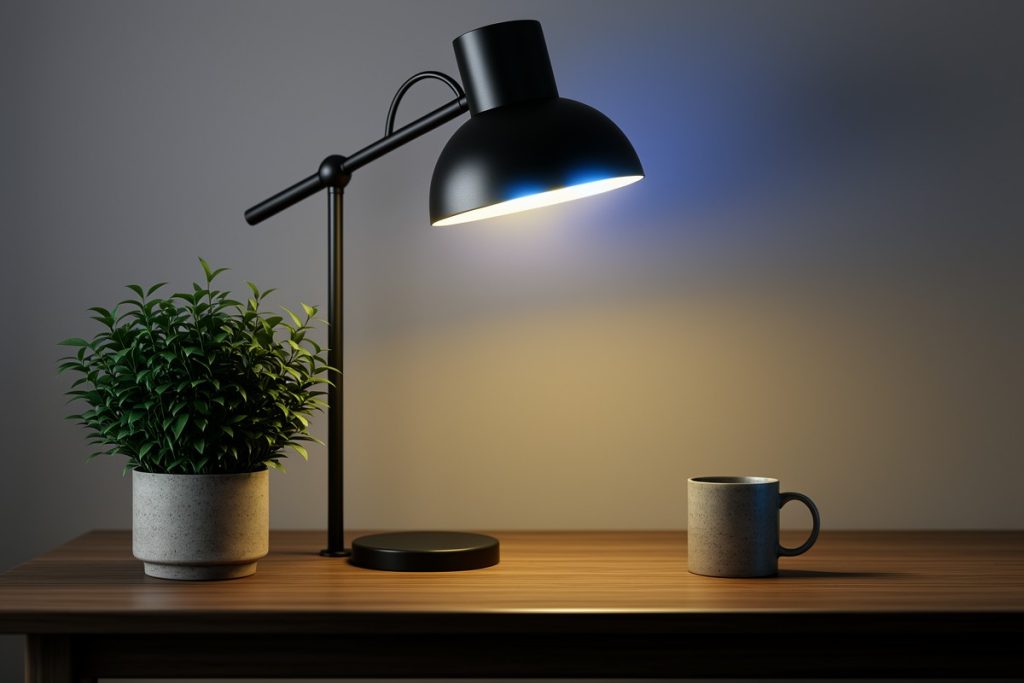
Use a task lamp when you regularly write on paper, assemble hardware, or need concentrated light on the keyboard. Keep it off-axis from the screen and adjust it so the shade blocks the bulb from your eyes. If you use two monitors, test the setup from both seating angles; a position that works for one display can reflect into the other.
For video calls, treat the camera view as a separate problem. A lamp that makes the room comfortable may not provide flattering or even light on your face. Avoid placing a bright light directly behind you, since it can make the camera expose for the background instead of you.
Compare the main lighting options
| Lighting option | Best role | Potential limitation |
|---|---|---|
| Ceiling fixture | Basic whole-room visibility | May create glare or hard shadows |
| Corner floor lamp | Soft ambient fill and flexible mood lighting | May not provide enough focused desk light |
| Desk task lamp | Keyboard, notebook, or hardware work | Can reflect in the monitor if aimed poorly |
| Window daylight | Bright, natural daytime illumination | Changes direction and intensity throughout the day |
For most home AI workstations, the strongest combination is a moderate ambient source plus a task light. If you work near a window, add a way to control direct sunlight, such as a blind or curtain. That makes the setup more consistent and reduces sudden reflections during the day.
Is a smart floor lamp useful for AI and coding work?
A smart floor lamp makes sense when the main problem is an underlit corner, changing routines, or the inconvenience of reaching behind furniture to adjust a light. The Govee RGBIC Floor Lamp Basic is listed with 1,000 lumens, Alexa and Matter compatibility, music sync, and support for 16 million DIY colors.
Those features are useful for convenience and atmosphere, but they do not automatically make a lamp good task lighting. A corner floor lamp generally spreads light through the room rather than concentrating it on a small work surface. Room size, wall color, lamp placement, and your desk position will affect the result.
A sensible way to use this type of lamp is to assign it an ambient role. Set it near a wall or in a dark corner, then use a calmer, less distracting setting while reading or coding. Save vivid colors and music-synchronized effects for breaks, entertainment, or a creative session. If the desk still has shadows or the keyboard is difficult to see, add a dedicated task lamp instead of simply increasing the floor lamp’s output.
Matter compatibility can also be helpful if you are building a mixed smart-home setup. Matter is designed as an industry standard for interoperability, but the practical experience still depends on the controller, platform, and setup process you use. Confirm that your preferred ecosystem supports the specific device before buying based on compatibility alone.
A five-minute lighting checklist
- Turn on the room’s normal lighting and sit in your usual work position.
- Look for bright reflections in every monitor and reposition the source before increasing brightness.
- Add indirect light behind or beside the display if the surrounding room feels much darker than the screen.
- Use a task light for concentrated work, keeping it outside the monitor’s reflection path.
- Test the setup in daylight and after dark, then save the arrangement that works in both conditions.
When evaluating a smart lamp, judge it on control and placement first. Voice control, scheduling, and scene settings can reduce friction, especially if your routine changes between coding, meetings, and downtime. Color variety is a bonus, not a substitute for comfortable illumination.
Build for consistency, not maximum brightness
More light is not always better. A bright monitor in a dark room can feel harsh, while an intensely lit desk can produce reflections and visual clutter. Aim for a steady relationship between the screen and its surroundings, and adjust the monitor brightness when the room changes.
The most effective AI workstation lighting setup is usually modest: daylight when available, soft ambient fill from the side, and focused task lighting only where it is needed. That arrangement keeps the workspace adaptable without turning it into a distracting light show.
Last reviewed: 2026-09-04