Quick answer
Start with a robot that creates a simple cause-and-effect loop: choose an action, run it, observe what happens, and revise it. Keep the first project small, such as programming a short movement sequence or testing a command. A programmable toy can teach sequencing, prediction, and debugging, but adults should explain that those features do not automatically make it an artificial-intelligence system.
Key takeaways
- Choose a robot with clear controls, visible feedback, and age-appropriate instructions.
- Use prediction, testing, and debugging to build practical computational-thinking habits.
- Separate remote control, programmed routines, and AI so children learn accurate technology concepts.
- Keep projects short, supervise moving parts, and follow all toy-specific safety guidance.
Why robotics is a useful introduction to AI
Children often encounter artificial intelligence as a vague feature label. Robotics makes technology more understandable because the results are visible. A child can give a command, watch a robot move, notice that it turned too far, and change the next instruction. That cycle—plan, test, observe, improve—is a practical introduction to programming and engineering.
It also helps children distinguish between related technologies:
- A remote control sends an instruction directly.
- A program stores a sequence of instructions or rules.
- An AI system uses inputs to generate outputs, often by making predictions, recommendations, or decisions.
These categories can overlap, but they are not interchangeable. A toy may offer an app, voice control, music, and programmed routines without learning from a child or adapting independently to its surroundings. Using precise language prevents children from assuming that every “smart” product can think, understand, or learn like a person.
For adults who want a deeper reference, the National Institute of Standards and Technology’s AI Risk Management Framework explains AI in terms of systems that generate outputs from inputs. The framework is designed for responsible AI development, not children’s play, but its emphasis on capabilities and limitations is useful at home too.
What to look for in a beginner robot
The best first robot is not necessarily the one with the most features. Look for a clear action-and-feedback loop, instructions that a child can revisit, and controls suitable for the child’s age. Remote control can introduce spatial reasoning and sequencing. App-based programming may offer a more structured route into programmable behavior. Lights, music, and movement can help maintain interest, but they should support experimentation rather than replace it.
A beginner-friendly robot should also be physically manageable. It needs enough room to move without requiring a large dedicated play area. Check whether the robot needs a particular mobile operating system, batteries, charging equipment, or an internet connection. Those practical details can matter more than an impressive feature list when a child is eager to start.
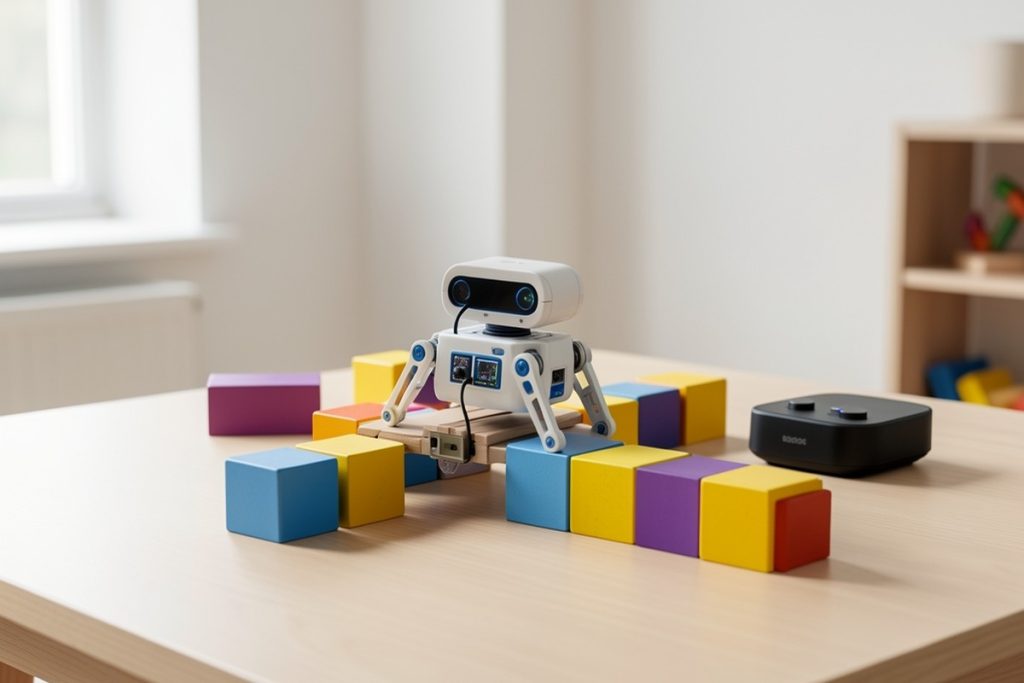
One possible fit is the Holyton 5088 Smart Robot for Kids. Its listed features include programmable behavior, voice, app and remote control, music and dancing, a grab function, and a foam-dart launcher. That combination may suit a family seeking several approachable ways to interact with one robot. However, the available feature description does not establish that it is an autonomous AI tutor or that it learns from a child. Before buying, check the current listing, age guidance, included instructions, device compatibility, and safety requirements.
A five-day robotics project for home
Day one: Predict and observe
Choose one behavior, such as moving forward or turning. Ask the child what they think will happen when the command is used. Test it in a clear area, then compare the result with the prediction. The aim is not perfect performance. It is learning that a technology system can produce an observable result that may differ from expectations.
Day two: Build a short sequence
Create a route with three to five actions. Use safe household objects as landmarks, leaving plenty of space around the robot. Have the child describe the sequence before trying it. If the robot stops short or turns too far, change one instruction at a time. This makes the connection between an instruction and an outcome easier to understand.
Day three: Practice debugging
Introduce one deliberate problem: put an action in the wrong order, make a turn too long, or place an obstacle along the route. Ask three questions: What did we expect? What happened? What single change might help? This transforms “it did not work” into a repeatable debugging process rather than a reason to abandon the activity.
Day four: Add a design constraint
Let the child choose a mission, such as reaching a target, carrying a lightweight object, or performing a short routine. Add one constraint: fewer commands, two turns, or a time limit. Constraints make the activity feel like a design challenge and encourage children to make trade-offs.
Day five: Explain the system
Ask the child to teach the robot’s behavior to another person. What input starts the action? Which instructions control it? What happens if the environment changes? If the robot cannot sense or adapt to that change, say so plainly. Understanding what a tool cannot do is an important part of AI literacy.
Match the activity to the child
| Child’s starting point | Best first activity | Adult’s role |
|---|---|---|
| New to robotics | Try one command and predict the result | Ask what the child notices |
| Comfortable with controls | Build a three-action route | Help isolate one variable |
| Ready for a challenge | Add an obstacle or constraint | Encourage testing instead of rescuing |
| Interested in AI | Compare fixed commands with sensing | Explain what the robot actually does |
Use this practical checklist
- Choose one goal for the session.
- Clear cords, fragile objects, stairs, pets, and other hazards from the test area.
- Ask for a prediction before giving an explanation.
- Change one variable at a time during troubleshooting.
- End by asking the child to explain the robot’s inputs, instructions, and limits.
Keep robot play safe and productive
Set up the activity on a stable, open surface and supervise younger children around moving parts. If the toy includes a launcher, treat it as a projectile feature: use only the supplied soft ammunition as directed, never aim it at people or animals, and store it away from ordinary building materials. The U.S. Consumer Product Safety Commission’s toy safety guidance offers a useful reminder to consider age suitability, supervision, and safe play.
Keep the first sessions brief. Ten focused minutes can be more useful than an hour of instructions. Let the child make a prediction before stepping in, and avoid changing several settings at once. When a test fails, preserve the question behind it: which part of the plan should change?
Measure learning, not just performance
The goal is not whether the robot performs a flashy routine. Look for whether the child can describe a goal, break it into steps, make a prediction, recognize a mismatch, and revise one step. Those habits transfer better than memorizing a particular button sequence.
For older children, extend the project by writing a plain-language algorithm, drawing a decision tree, or comparing a fixed command with a sensor-based response. If the robot cannot support a proposed feature, use that limitation as part of the lesson. A child who understands why a tool cannot do something is building more durable technology confidence than one who simply repeats a demonstration.
A beginner robot can be a friendly bridge between play and engineering when adults keep the claims accurate, the projects small, and the child in charge of the questions.
Last reviewed: 2026-09-07
Sources
- AI Risk Management Framework — National Institute of Standards and Technology
- Artificial Intelligence — National Institute of Standards and Technology
- K–12 Computer Science Standards — Computer Science Teachers Association
- Toy Safety — U.S. Consumer Product Safety Commission