Quick answer
AI robot vacuums use sensors and software to map rooms, plan routes, avoid obstacles, and repeat scheduled cleaning. They can make everyday pet-hair maintenance easier, but they are not hands-off replacements for a full-size vacuum. The best choice depends on your floor plan, rugs, clutter, maintenance habits, connected-device preferences, and whether the model’s brushroll and navigation features match your home.
Key takeaways
- “AI” usually means specialized navigation, mapping, and obstacle-detection software—not human-like understanding.
- Home mapping is most useful when you want repeatable room cleaning, scheduling, and fewer manual rescues.
- Pet-hair performance still depends on floor type, brushroll design, debris volume, and regular maintenance.
- Wi-Fi features add convenience but require sensible account, app, and privacy checks.
What AI means in a robot vacuum
When a robot vacuum is advertised as “AI-powered,” the phrase usually describes a collection of narrow software tasks. The device uses sensor readings to estimate its location, detect nearby objects, and decide how to move across the floor. It is not reasoning about your home in the same way a person would, and it does not automatically understand every object it encounters.
Depending on the model, the system may combine wheel movement data with bump sensors, optical sensors, cameras, or LiDAR. The software then turns those inputs into practical behaviors:
- Mapping: The robot builds a digital representation of rooms and paths as it travels.
- Navigation: It chooses a route instead of moving randomly, helping it cover the floor more consistently.
- Obstacle response: It changes direction when it detects furniture, walls, or objects in its path.
- Automation: Through an app, it may support schedules, room selection, notifications, or remote commands.
The useful question is not whether a product uses an impressive AI label. Ask whether it can complete a helpful cleaning route with less supervision than a simpler device.
Why home mapping makes a practical difference
Mapping turns a robot vacuum from a wandering appliance into a more predictable household routine. After learning the layout, a compatible model may let you schedule cleaning for particular times, send it to selected rooms, or set boundaries around spaces you want it to avoid. That is especially useful in homes where crumbs, fur, and tracked dirt build up in the same areas every day.
A map can also reduce interruptions. Instead of searching for the robot under furniture or redirecting it repeatedly, you can give it a defined job and let it return to its base when finished or when its battery needs charging. The benefit is less about futuristic intelligence and more about repeatability.
Mapping has limits. Furniture changes, moved rugs, loose charging cables, high thresholds, reflective surfaces, and dark flooring can affect navigation. A robot may also reach a room but fail to clean every edge or corner. Before buying, confirm whether the app supports room editing, virtual boundaries, multiple floors, and map recovery. These details vary by product and software version.
Can an AI robot vacuum handle pet hair?
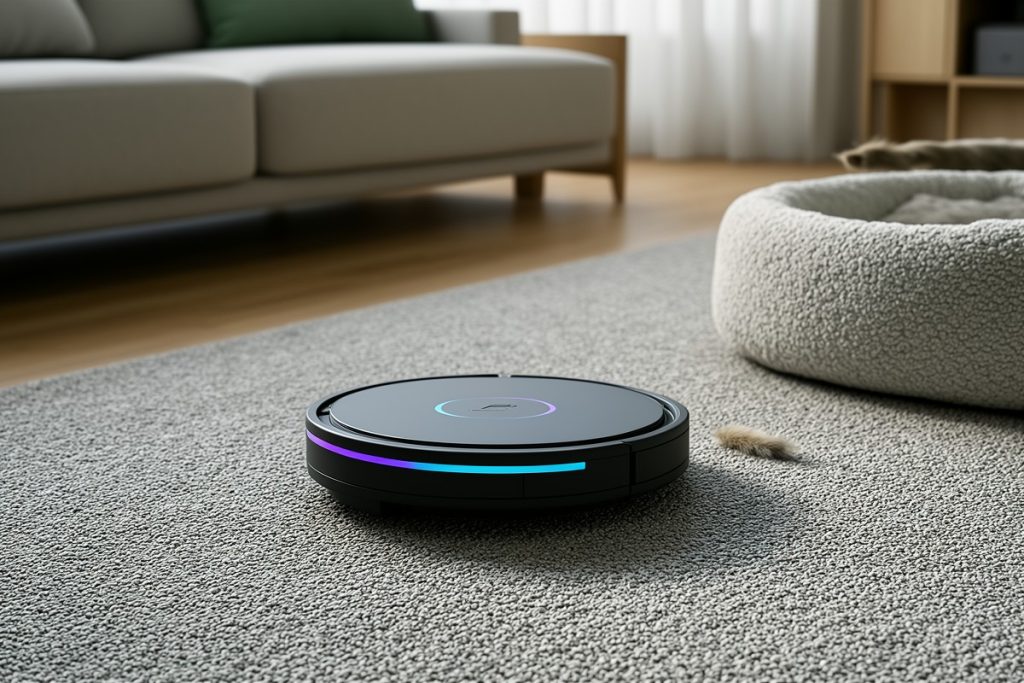
Pet hair is a natural use case for automated cleaning because it tends to accumulate continuously rather than during one obvious spill. A scheduled robot can help manage the daily layer of fur on hard floors and low-pile rugs, reducing the amount of debris waiting for a weekend cleaning session.
However, “pet-hair friendly” is not a guarantee of perfect pickup. Results depend on whether the hair is loose or embedded, how much carpet is in the home, the condition of the brushroll, and whether the vacuum can cross thresholds between rooms. Long hair can still wrap around moving parts, while litter and larger debris may require a separate pass.
A self-cleaning brushroll may reduce the amount of hair you need to remove by hand, but it does not eliminate maintenance. Expect to inspect the brushroll, clear wheels and sensors, clean filters, and check the dust bin or self-emptying base. A robot vacuum is best viewed as a maintenance tool that handles frequent surface cleaning—not as a replacement for every deeper clean.
A relevant option for connected, pet-friendly homes
If your specific problem is keeping floors manageable between deeper cleans, the Shark AV2501S AI Ultra Robot Vacuum is a model worth investigating. Its listed feature set includes Matrix Clean, 360° LiDAR home mapping, a self-cleaning brushroll, Wi-Fi control, and a self-empty base with a stated 30-day capacity.
Those features align with two common frustrations: inconsistent navigation and frequently emptying a small dust bin. LiDAR mapping may help the robot build repeatable routes, while the self-empty base may be convenient in homes where fur and tracked debris accumulate often.
This is a feature-based fit, not a hands-on performance verdict. The product may still be a poor match for a home with many cords, thick or fringed rugs, tall transitions, or limited space for its dock. Before ordering, verify current app compatibility, warranty terms, replacement-part availability, and independent evidence about carpet pickup and operating noise if those factors matter to you.
Use this checklist before choosing one
- Measure the home: Note thresholds, narrow passages, low furniture, and the permanent location available for the charging base.
- Identify the mess: Decide whether your priority is loose fur, crumbs, fine dust, litter, carpet debris, or a combination.
- Check navigation tools: Look for room selection, no-go zones, scheduling, map editing, and multi-floor support where needed.
- Plan maintenance: Review how filters, brushes, wheels, sensors, and the dust container must be cleaned.
- Review connectivity: Check whether an account is required and which app permissions or network settings the device uses.
Feature comparison: what to verify
| Feature | Why it matters | What to check |
|---|---|---|
| LiDAR or other mapping | Can support more repeatable routes | Room editing, boundaries, and multi-floor behavior |
| Self-empty base | Reduces how often the onboard bin needs attention | Capacity, filter care, noise, and consumable requirements |
| Self-cleaning brushroll | May reduce hair wrapping during routine use | How remaining tangles are removed and parts are replaced |
| Wi-Fi and app control | Enables schedules and remote commands | Account requirements, permissions, updates, and network support |
Connected convenience deserves a privacy check
Wi-Fi control adds useful automation, but it also adds an app, an account, and another connected device to your home. Use a unique password, install available security updates, and grant only the permissions the app needs. If mapping or cloud features are optional, consider whether the convenience justifies the information involved.
Read the manufacturer’s privacy and support documentation rather than relying only on a retailer’s feature list. A home map can reveal the layout of rooms, even when the device is not designed to record ordinary video. The right approach is not to reject every smart appliance; it is to understand what data the device collects, where it goes, and which controls you have.
Who benefits most from an AI robot vacuum?
An AI robot vacuum makes the most sense for households that want frequent, low-effort floor maintenance. It can be helpful for busy schedules, shedding pets, hard floors, and people who prefer a routine that runs in the background. Mapping and scheduling are particularly valuable when the same high-traffic areas need attention every day.
It may be less suitable when floors are heavily cluttered, rugs have delicate fringes, thresholds are tall, or the dock has nowhere practical to live. In those situations, a simpler vacuum may be less frustrating and easier to maintain.
The strongest buying question is therefore not “Which robot has the most AI?” It is: “Can this device navigate my floor plan, collect the debris I actually have, fit my maintenance habits, and meet my privacy expectations?” If the answer is yes, smart navigation can turn a repetitive chore into a manageable household routine.
Last reviewed: 2026-08-21
Sources
- Artificial Intelligence Risk Management Framework — National Institute of Standards and Technology
- IoT Device Cybersecurity Capability Core Baseline — National Institute of Standards and Technology
- Shark AI Ultra Robot Vacuum product information — SharkNinja