

Quick answer
Choose AI glasses only when hands-free access genuinely improves a repeated task, such as navigation, reminders, or brief information requests. Before buying, compare privacy controls, audio quality, comfort, phone compatibility, battery expectations, and return terms. Treat cameras and microphones as a shared-space responsibility, not just a personal convenience. AI glasses are useful tools, but they are not automatically better than earbuds or a phone.
Key takeaways
- Start with one recurring problem, not the novelty of wearable AI.
- Check what the glasses can record, when indicators appear, and how data is managed.
- Comfort, controls, and phone compatibility matter more than a long feature list.
- Use a simple comparison with earbuds and a phone before spending money.
By Derek Holt, Data-Driven Analyst
Last reviewed: 2026-11-13
What AI glasses are actually good for
AI glasses sit between familiar wearables and a voice assistant. Depending on the model, they may combine speakers, microphones, cameras, smartphone connectivity, and an AI service in one wearable device. That combination can reduce the need to reach for a phone, but it does not eliminate the phone or the cloud services behind many features.
The strongest use case is a short, repeated task where looking down is inconvenient. A commuter might want spoken directions, a traveler might ask for a quick translation, or a busy person might dictate a reminder while moving between tasks. These are narrow benefits, but narrow benefits can be valuable when they occur several times a day.
The weaker use case is buying glasses simply because they are described as “smart.” If you cannot name the task they will replace or simplify, the device may become an expensive novelty. A camera, microphone, and AI connection also create responsibilities for people nearby who have not chosen to participate.
Compare AI glasses with the tools you already own
AI glasses should earn their place by reducing friction. Compare them against the simplest tool that already solves the problem.
| Tool | Best for | Main trade-off |
|---|---|---|
| Earbuds with a voice assistant | Private audio, calls, reminders, and short questions | Less visual context and no glasses-based controls |
| Smartphone | Detailed research, maps, settings, and reviewing information | Requires attention and usually a hand |
| AI glasses | Brief hands-free interactions while walking or working | Privacy, comfort, battery, and phone-dependence questions |
This comparison highlights an important point: AI glasses are not a universal replacement. Earbuds may be better for private listening, while a phone remains better for reading, editing, and checking details. Glasses make the most sense when the hands-free and glance-free experience is the central requirement.
Evaluate privacy before convenience
Privacy is the most important difference between an AI accessory and an ordinary pair of glasses. A device with cameras or microphones can collect information about the wearer, other people, locations, conversations, and surroundings. Even if a feature is convenient, you should understand what activates it, what signal indicates recording or capture, and where information goes.
Read the manufacturer’s privacy and data-use documentation before purchase. Look for practical answers to these questions:
- Can the camera or microphone be disabled without removing the device?
- Is there a visible capture indicator, and can it be obscured?
- Which features require a connected phone or account?
- Can recordings, voice history, or generated results be deleted?
- Are audio or images processed on the device, on the phone, or remotely?
- What happens when the glasses are used around children, clients, patients, or coworkers?
The NIST AI Risk Management Framework is designed to help organizations consider trustworthy AI, including privacy, safety, transparency, and accountability. Its principles are useful for individual buyers too: judge the system by its foreseeable risks, not only by its advertised convenience.
Check comfort, controls, and compatibility
Wearability is a practical test, not a minor detail. Glasses that feel heavy, pinch behind the ears, slip while walking, or require frequent charging will probably stay at home. Review frame fit, lens options, prescription support if relevant, water-resistance limits, charging method, and the controls used for calls, audio, and capture.
Compatibility deserves equal attention. Confirm the required phone operating system, account, app, Bluetooth behavior, and internet connection. A feature that works only through a particular phone or subscription may be less useful than it appears in a short demonstration. Also check whether the functions you care about are available in your country and language.
Do not infer performance from the product category alone. “AI glasses” can describe products with very different cameras, speakers, assistants, apps, and policies. Use the current manufacturer documentation and retailer listing for the exact model rather than assuming every model has the same capabilities.
A balanced example for an AI gadget shortlist
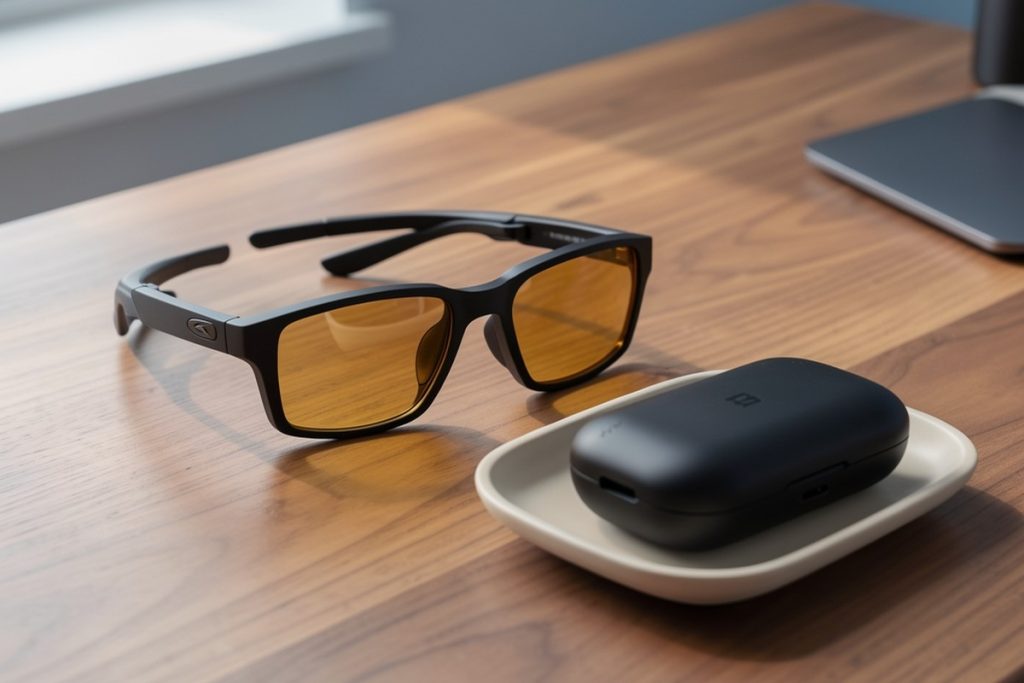
If your problem is getting brief information or audio help without repeatedly reaching for a phone, Meta Oakley HSTN Smart AI Glasses Clear, Transitions Grey is a candidate worth evaluating alongside simpler alternatives. The product name identifies a smart-glasses design and a lens configuration, but that alone does not prove that it is the right fit for your needs.
Before choosing it, verify the current listing and manufacturer information for supported AI functions, phone compatibility, lens behavior, charging, privacy controls, and return conditions. Consider whether you actually need glasses-based access or whether earbuds and a phone already solve the task more simply. The sensible recommendation is conditional: this type of device may suit someone who values hands-free access and accepts the privacy and connectivity trade-offs, but it is not an automatic upgrade for every user.
Use this pre-purchase checklist
Answer each question with a specific, testable response:
- Problem: What repeated task will the glasses make easier?
- Frequency: Will that task occur often enough to justify wearing and charging another device?
- Privacy: Do you understand capture indicators, data handling, and deletion controls?
- Fit: Can you comfortably wear the frame for the length of a typical day?
- Compatibility: Does it work with your phone, account, language, and preferred services?
- Fallback: Can you still use the device safely when the phone, connection, or battery is unavailable?
If two or more answers are unclear, wait and gather more model-specific information. Uncertainty is especially important when the device can capture audio or images in shared spaces.
How to use AI glasses responsibly
Make the device visible in your behavior. Follow workplace, school, venue, and local recording rules. Do not capture private conversations or identifiable people merely because the technology makes it easy. In sensitive settings, remove the glasses or disable relevant functions. Keep account security strong, install updates, and review permissions periodically.
Finally, treat AI output as assistance rather than authority. Generated answers can be incomplete or wrong, particularly for directions, names, translations, and time-sensitive information. For medical, legal, financial, or safety-critical decisions, verify the result with a reliable source or qualified professional.
Bottom line
The best AI glasses purchase is based on a specific routine, not a vague promise about the future. Start by comparing the device with earbuds and your phone, then investigate privacy, compatibility, comfort, and control details for the exact model. If the hands-free benefit is frequent and meaningful, smart glasses may reduce everyday friction. If not, a simpler tool is likely the more practical choice.