Quick answer
AI glasses are most useful when they remove small moments of friction—hearing audio, capturing a viewpoint, or asking a brief question without reaching for a phone. Before using them, set clear recording habits, review app permissions, learn the visible privacy signals, and decide where cameras and microphones are inappropriate. Treat them as connected computers, not ordinary eyewear.
Key takeaways
- Start with privacy settings and permissions before testing features in public.
- Use AI glasses for short, purposeful interactions rather than continuous recording.
- Tell people before recording them, and follow venue-specific rules.
- Keep a phone or another control method available in case the glasses lose power or connectivity.
What AI glasses are actually good at
AI glasses sit between ordinary eyewear, wireless headphones, a camera, and a voice assistant. Depending on the model and region, they may let you listen to audio through open-ear speakers, capture photos or video from your viewpoint, make calls, or ask an assistant a question without pulling out your phone.
That combination is useful for brief tasks. You might hear turn-by-turn guidance while walking, record a short visual reminder, or ask for help identifying an object when your phone is buried in a bag. The benefit is not that the glasses replace a computer. It is that they reduce the number of interruptions involved in simple actions.
The limitations matter just as much. AI responses can be wrong, features may depend on an internet connection or a paired phone, and battery life varies by use. Audio may be harder to hear in traffic or crowded places. A camera mounted near your eyes can also make other people feel watched, even when you are not recording.
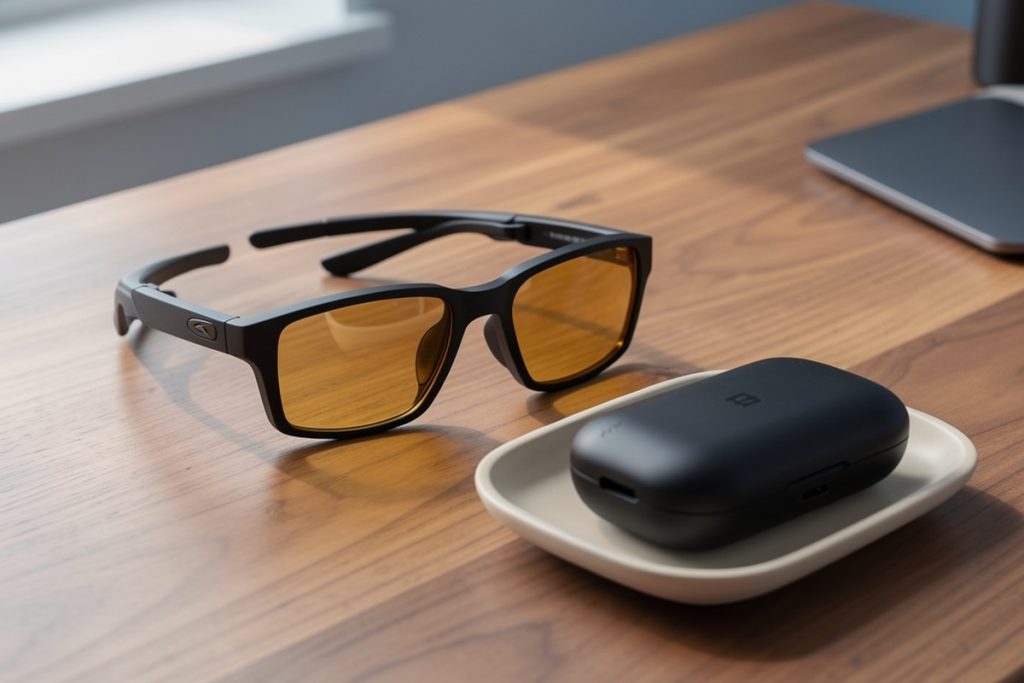
The Meta Oakley Vanguard Smart AI Glasses Black, Prizm 24K are a reasonable example to investigate if you want a sport-oriented, hands-free camera and audio device. That does not make them the right choice for everyone: check current compatibility, regional features, fit, controls, and privacy options before buying. This article does not claim personal testing or guarantee any particular feature.
Set privacy expectations before pairing the glasses
The first setup should happen at home, not in a busy café or workplace. Pair the glasses with the companion app, install available updates, and read the permission requests one by one. A request for Bluetooth access may be necessary for connectivity; access to contacts, location, photos, or the microphone deserves a more deliberate decision.
Use the least access that supports your intended use. If you only want audio and occasional photographs, you may not need continuous location access or your entire contact list. You can revisit permissions later when a specific feature requires them. This approach is more practical than approving everything and forgetting what you enabled.
Also learn how the glasses indicate capture. Many camera-equipped wearables use a visible light or another signal when taking a photo or recording video. Do not assume that an indicator makes recording acceptable everywhere. A signal helps people understand what is happening, but consent and local rules still matter.
Use a simple public-recording rule
A useful rule is: if a reasonable person would expect the situation to be private, do not record it. That includes changing rooms, medical appointments, private conversations, classrooms with restrictions, and many workplaces. Restaurants, gyms, museums, and events may also have their own policies.
For ordinary public situations, be transparent when another person is the subject. Say what you are recording and why, especially if their voice or face may be captured. If someone objects, stop and delete the recording if appropriate. Avoid treating public visibility as blanket permission; people can be in a public place without agreeing to become part of your personal media library.
Keep the glasses pointed toward the activity you need, rather than scanning a room. Short clips are easier to review, store, and delete than hours of ambient footage. Turn off capture when the task is complete.
A practical first-day checklist
- Update: Install firmware and companion-app updates from the manufacturer.
- Permissions: Review microphone, camera, contacts, location, Bluetooth, and photo-library access.
- Controls: Practice starting and stopping capture, adjusting audio, and disconnecting the glasses.
- Indicators: Confirm that you can recognize when the camera or microphone is active.
- Storage: Choose whether photos and videos sync automatically, and enable a phone passcode or account security.
- Boundaries: Pick two places where you will never record, such as a clinic or changing room.
- Fallback: Carry your phone and charging cable or case when you depend on the glasses away from home.
Match the feature to the right situation
AI glasses are easier to use responsibly when you assign each capability a narrow job. For example, audio is often the least socially disruptive feature because it does not create a visible recording. Use it for podcasts, calls, or brief spoken prompts in places where you can still pay attention to your surroundings.
Camera features are better suited to moments where you are an obvious participant: a personal hike, a demonstration you have permission to document, or a quick visual note about your own belongings. They are less appropriate for filming strangers, recording confidential work, or capturing a conversation without everyone’s knowledge.
Voice assistants can be convenient, but avoid saying sensitive information aloud. Do not dictate passwords, financial account details, medical records, or private workplace information. If an answer affects safety, money, health, or legal decisions, verify it with a trusted primary source or qualified professional rather than relying on a wearable assistant.
Protect the data after capture
Privacy does not end when a recording is made. Review synced media periodically and delete clips you no longer need. Be careful when sharing automatically backed-up photos with family albums, social platforms, or workplace storage. A short clip can contain more than its main subject: voices in the background, house numbers, computer screens, children, or location clues.
Secure the account connected to the glasses with a unique password and multi-factor authentication when available. Keep the phone used for pairing locked, since it may provide access to recordings and device controls. If you sell, return, or lend the glasses, remove them from your account and perform the manufacturer’s reset process.
Know when ordinary glasses are the better choice
Smart glasses are not automatically an upgrade. Ordinary sunglasses are simpler for a day at the beach, a formal meeting, or any setting where recording could create discomfort. Wireless earbuds may be more discreet for audio, while a phone may offer a better camera, larger display, and clearer controls.
Choose AI glasses when hands-free access genuinely improves the task and you are comfortable explaining their use. Skip them when the main attraction is recording everything or when you cannot maintain control over where data goes. The best setup is not the one with the most features; it is the one whose features, permissions, and habits you can manage consistently.
Last reviewed: 2026-08-31