
Quick answer
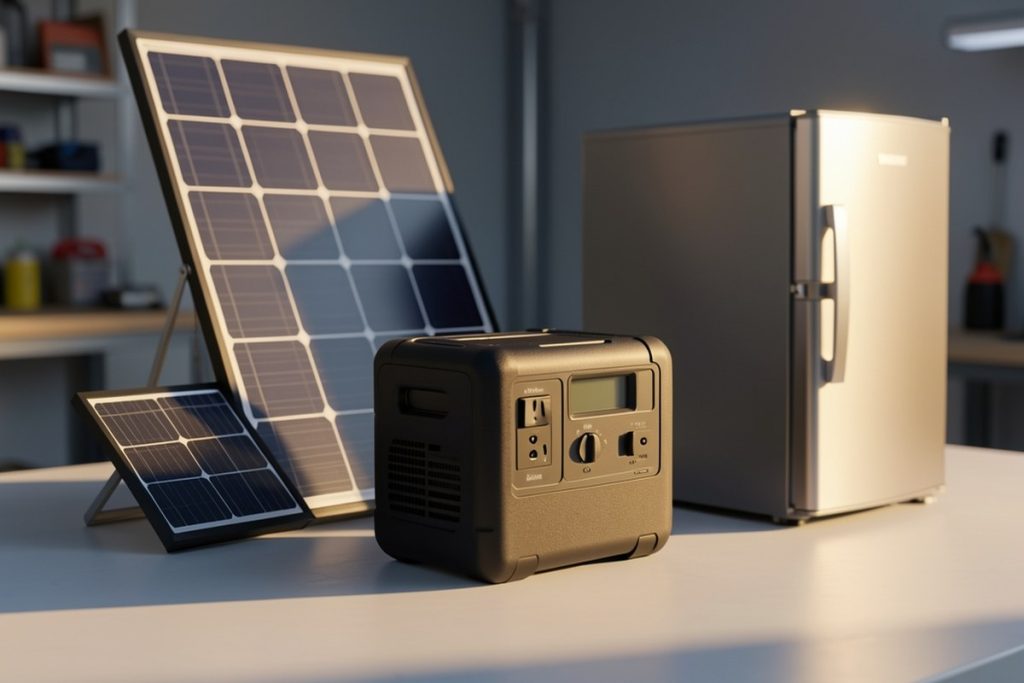
For most homes, a portable solar generator can keep a refrigerator, internet equipment, lights, and small essential devices running during a short outage—but only if you size it for both continuous watts and startup surge. A 1,024Wh unit is a useful middle ground, not whole-home backup. Confirm connector compatibility, estimate runtime, and plan how panels will recharge it before buying.
Key takeaways
- Choose by both watt-hours for runtime and watts for the appliances you need to start.
- A refrigerator may use modest power while running but require a larger startup surge.
- A 1,024Wh power station is suited to essential loads, not electric heating, central air, or an entire house.
- Solar panels extend an outage plan only when their output, connectors, and weather limitations are understood.
What a solar generator can realistically power
“Solar generator” usually means a portable battery, inverter, and charging system rather than a fuel-burning generator. It stores electricity and can recharge from wall power, a vehicle, or compatible solar panels. That makes it quieter and cleaner at the point of use, but it does not create unlimited energy.
During a short outage, the most practical targets are a refrigerator, Wi-Fi router, phones, LED lamps, laptops, and other low-power essentials. Electric kettles, space heaters, hair dryers, clothes dryers, well pumps, and central air conditioners are much harder to support because they draw substantial power and may run for long periods.
The right question is not “How many appliances can it run?” Instead, list the few loads that matter most. Keeping food cold and maintaining communication may be more valuable than trying to power every convenience in the home.
Understand watts, watt-hours, and startup surge
Watts describe how much power an appliance needs at a given moment. Watt-hours describe how much stored energy a battery contains. A device drawing 100 watts for five hours uses roughly 500 watt-hours before conversion losses.
Motors and compressors create an additional challenge. A refrigerator may use relatively little electricity after it starts, yet briefly demand much more when its compressor turns on. The appliance label may show running power but not clearly identify the starting requirement, so check the manual or measure it with a suitable power meter if possible.
A simple planning estimate is:
Estimated runtime = battery watt-hours × usable-efficiency allowance ÷ appliance watts
For example, a 1,024Wh battery multiplied by an illustrative 85% usable-efficiency allowance provides about 870Wh for connected loads. A steady 100W load could therefore run for roughly 8.7 hours in ideal conditions. Actual runtime will vary with inverter losses, battery condition, temperature, appliance cycling, and the unit’s reserve settings.
How a 1,024Wh power station fits an outage plan
The N1000 Portable Power Station is listed with 1,024Wh of capacity, 1,800W of output, a 3,000W P-Boost mode, LiFePO4 battery chemistry, UPS functionality, app control, and a listed charge time to 80% of 43 minutes. Those are useful specifications to compare, but the listing alone does not tell you whether it will start every refrigerator, pump, or medical device. Confirm the appliance’s surge requirement and the power station’s manual before relying on it for a critical load.
Its capacity places it in the practical middle range for emergency essentials. It could be a sensible candidate for a refrigerator plus communications equipment and lighting, depending on how often the refrigerator cycles. It is not a substitute for a properly sized home battery, standby generator, or professionally installed transfer system.
Also treat P-Boost carefully. A higher advertised figure does not necessarily mean the unit can continuously deliver that amount or start every motor. It may work by reducing voltage or changing how certain loads are handled. For compressors, pumps, and medical equipment, compatibility matters more than the headline number.
Compare common emergency loads
| Load | What to verify | Planning note |
|---|---|---|
| Refrigerator | Running watts and compressor startup surge | Prioritize it, but expect cycling and changing runtime |
| Wi-Fi router | Adapter voltage and wattage | Usually a low, steady load |
| LED lamps | Bulb wattage and plug type | Several lights may use less energy than one appliance motor |
| CPAP or other medical equipment | Manufacturer-approved backup requirements | Follow the care provider’s guidance; do not assume compatibility |
| Space heater or kettle | Continuous watt draw | Often consumes battery capacity too quickly for extended backup |
The numbers printed on appliances are starting points, not guarantees. Add the loads you plan to run simultaneously and compare that total with continuous output. Then separately check whether the largest motor or compressor can start within the unit’s surge capability.
Plan the solar recharge, not just the battery
A battery gives you stored energy; solar panels determine how quickly you can replace it. A panel’s advertised wattage is measured under favorable test conditions, while real output changes with cloud cover, shade, panel angle, temperature, dirt, and the charging station’s input limit.
For a rough daily estimate, multiply panel wattage by available peak-sun hours, then reduce the result for normal system losses. For example, a 200W panel receiving four effective sun hours might produce about 800Wh before losses. That is an estimate, not a promise, and winter or storm conditions may produce far less.
Check three compatibility points before buying panels: the station’s permitted solar voltage range, maximum solar input wattage, and connector type. Never connect a panel simply because its plug fits. Use the manufacturer’s specifications and reputable adapters. NREL’s PVWatts tool can help estimate solar production for a location, although a portable panel setup will not behave exactly like a fixed rooftop system.
Use a simple buying checklist
- List essential loads: Write down what must run and for how many hours.
- Check continuous output: Add the watts of devices that may operate together.
- Check surge capacity: Identify refrigerators, pumps, fans, and other motor-driven equipment.
- Estimate usable energy: Apply an efficiency allowance instead of treating the full battery rating as available.
- Verify connections: Match AC, USB, vehicle, and solar inputs to your equipment.
- Plan placement: Keep the unit dry, stable, accessible, and away from heat or moisture.
- Practice before an outage: Test the intended loads one at a time and learn the controls.
Portable backup versus whole-home backup
Portable power stations make the most sense when you want selective backup without installing permanent equipment. They can be moved between rooms, taken camping, and recharged from more than one source. Their limitation is capacity: once the battery is depleted, your runtime depends on grid power, vehicle charging, or usable sunlight.
A whole-home battery or standby generator is a different project. It may support larger loads and automatic transfer, but it involves installation, electrical planning, permitting, maintenance, and a larger budget. If you need a furnace blower, well pump, sump pump, or medical system to operate through a long outage, speak with a qualified electrician and the relevant equipment manufacturer.
Never connect a portable power station to a household wall outlet to energize a home circuit. That can create dangerous backfeed. Use appliances directly from the station, or have a properly designed transfer arrangement installed by a qualified professional.
Last reviewed: 2026-10-09