
Quick answer
Smart plugs are useful for automating simple home-office tasks such as switching a lamp on before work or turning nonessential equipment off at bedtime. Choose appliances that restart safely, check the plug’s electrical rating, and begin with one low-risk schedule. A smart plug controls power; it does not automatically make an appliance safer, smarter, or more energy-efficient.
Key takeaways
- Start with repeatable, low-risk tasks such as lamp schedules.
- Check the appliance’s rating and restart behavior before automating it.
- Basic smart plugs provide on/off control, not automatic dimming or energy monitoring.
- Never use an ordinary smart plug as a substitute for appliance safety features.
What a smart plug can actually automate
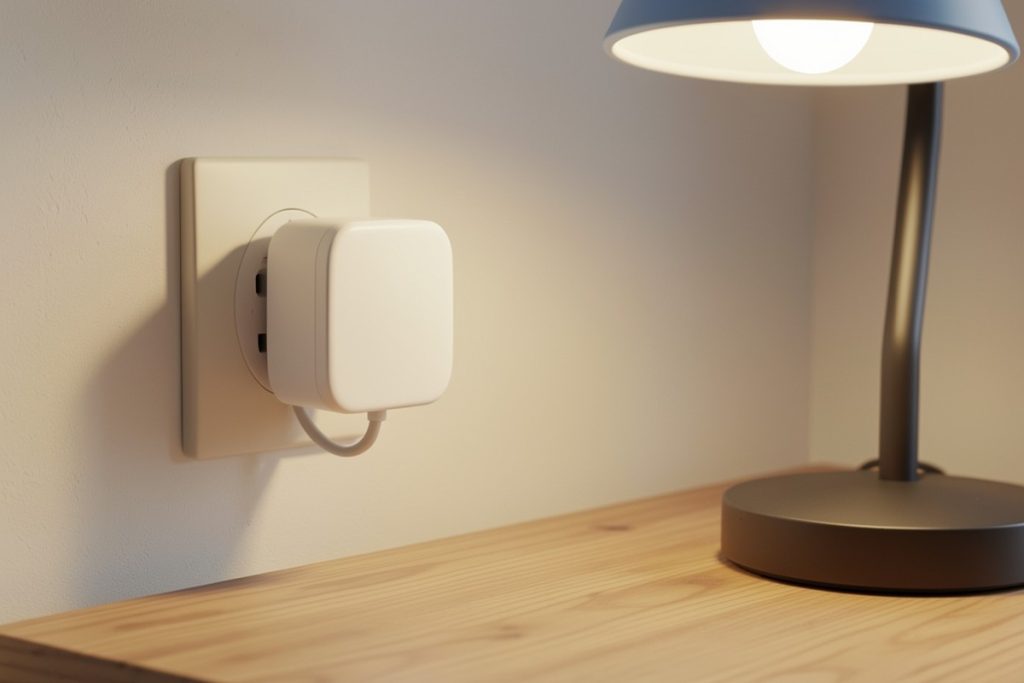
A smart plug is best understood as a remotely controlled power switch. It sits between a wall outlet and an appliance, allowing an app or compatible voice assistant to turn that appliance on or off. Depending on the model, you may also be able to create schedules, timers, or routines.
That makes smart plugs useful for simple, predictable tasks. A desk lamp can turn on shortly before your workday begins. A fan can run during a scheduled period if its own controls support safe restart. A nonessential charger can be switched off overnight. These small automations remove repeated decisions without requiring a complicated smart-home system.
The limits matter just as much as the convenience. A basic plug cannot dim a lamp unless the lamp and plug specifically support that function. It cannot tell whether a coffee maker is full, whether an iron is still hot, or whether an appliance is being used correctly. It also does not automatically measure electricity consumption. If energy data is important, look specifically for a product with energy-monitoring capabilities.
Useful home-office automations to start with
The best first automation is visible, reversible, and unlikely to create a hazard. Lighting is a strong starting point because the result is easy to notice and the routine is simple to remove if it becomes annoying.
| Goal | Good device to automate | Important check |
|---|---|---|
| Start the workday | Desk or floor lamp | Confirm the lamp turns on when power is restored |
| End the workday | Lamp or nonessential charger | Do not interrupt updates or active work |
| Improve comfort | Fan with suitable controls | Confirm unattended operation is allowed |
| Reduce standby use | Clearly nonessential electronics | Treat any savings as variable, not guaranteed |
Voice control can be convenient when you are carrying something or settling into a meeting, but scheduled routines are usually more dependable for repeated actions. A simple “office start” routine might turn on a lamp at a chosen time. An “office shutdown” schedule could turn off the lamp at the end of the workday. Keep each routine focused on one clear outcome so that troubleshooting remains straightforward.
How to choose a smart plug for automation
Begin with platform compatibility. A plug designed for Alexa is not automatically compatible with every voice assistant or smart-home ecosystem. Check the manufacturer’s current compatibility information before buying, especially if you already use a particular assistant.
Next, check whether the plug needs a separate hub. Wi-Fi models can often connect directly to a home network, while other smart-home products require a bridge or hub. A no-hub design may be simpler for someone automating only a few lamps, but it still depends on a reliable wireless network and the manufacturer’s app.
Electrical ratings are another essential check. Compare the appliance’s voltage and current requirements with the smart plug’s specifications. Do not assume that a maximum rating means an appliance is appropriate for continuous unattended operation. Motors, heating elements, and equipment with unusual startup loads may require additional guidance from the appliance manufacturer.
Finally, identify what the plug does not offer. If you need dimming, power measurement, surge protection, or appliance-status detection, look for those features specifically. “Smart” is a broad marketing term, not a guarantee that every connected outlet has the same capabilities.
Where the Kasa four-pack fits
The Kasa Smart Plug HS103P4, Wi-Fi Outlet Works with Alexa, 4-Pack can make sense for someone who wants several straightforward on/off controls around a home office. The listed feature set includes Alexa compatibility, remote control, scheduling, no hub required, a 15-amp rating, and UL certification.
A four-pack is practical when you have multiple lamps or other compatible appliances to automate. It is less compelling if you need only one controlled outlet. The product should also be viewed as a basic automation tool rather than an energy monitor, dimmer, or safety system. Before connecting anything, compare the plug’s specifications with the appliance you intend to use.
Set up your first automation carefully
A cautious setup takes only a few minutes but prevents many avoidable problems. Use this checklist:
- Read the smart plug and appliance instructions.
- Check the appliance’s voltage, wattage, and operating requirements.
- Confirm the plug’s rating is suitable for that appliance.
- Make sure the appliance’s physical switch is set correctly.
- Test manual on/off control while you are present.
- Create one schedule rather than several complicated routines.
- Observe the automation for several days before expanding it.
- Remove the routine if the appliance behaves unexpectedly.
Avoid automating space heaters, irons, hot plates, hair tools, medical equipment, or anything that could become dangerous if it starts without supervision. Refrigerators, pumps, and other motor-driven equipment may also have special requirements. If the manufacturer does not clearly support unattended operation, choose a different use case or ask a qualified electrician.
Troubleshoot the common failure points
If a schedule fails, first check whether the plug is online and whether your home network, router, or account settings changed. Then confirm the device’s physical switch and power connection. Some appliances stay off after power returns, while others restart automatically. That behavior belongs to the appliance, not necessarily to the smart plug.
If voice control works but a routine does not, inspect the trigger, time, device name, and permissions. Avoid nearly identical names such as “office light,” “desk light,” and “lamp” if they could cause confusion. A location-based name is usually easier to recognize and maintain.
It is also worth keeping the setup small. Every connected device and automation adds another point that may need an app, network connection, or account permission. Use only the services required for the task, install updates when the manufacturer provides them, and remove devices you no longer use.
Build convenience without over-automating
Smart plugs work best when they make ordinary routines quietly more convenient. Start with one lamp or another low-risk appliance, create a simple schedule, and watch how it behaves in real life. Once that setup is dependable, add another automation only if it solves a specific annoyance.
The goal is not to make every outlet intelligent. It is to remove a few repetitive actions while keeping safety decisions visible and understandable. A smart plug can be a useful bridge between a traditional appliance and a more organized workday, provided you treat it as a remote switch rather than a replacement for careful judgment.
Last reviewed: 2026-11-09