Quick answer
To secure a wireless outdoor security camera, protect the account, home network, camera app, and physical device together. Use a unique password and available two-factor authentication, update firmware and apps, secure your router with WPA2 or WPA3, limit sharing, and place the camera where it captures useful outdoor areas without exposing private spaces.
Key takeaways
- A camera is only as secure as the account and Wi-Fi network connected to it.
- Unique passwords, two-factor authentication, updates, and limited access reduce avoidable risks.
- A separate network can limit the damage if another connected device is compromised.
- Battery life, night vision, and two-way audio matter, but privacy controls should influence the purchase too.
By Derek Holt, Data-Driven Analyst
Last reviewed: 2026-09-21
Why wireless security cameras need more than a strong password
A wireless outdoor camera sends video through several connected points: the camera, your Wi-Fi router, the manufacturer’s account, the mobile app, and any cloud service used for storage or remote viewing. A weakness in any one of those points can create unnecessary exposure.
That does not mean a smart camera is automatically unsafe. It means setup decisions matter. The most useful approach is to treat the camera as a small internet-connected computer installed outside your home. It needs updates, access controls, a secure network, and a location that respects privacy.
The Federal Trade Commission recommends researching a camera’s security features before buying, using a strong unique password, updating software, enabling available security controls, and carefully managing remote access. Those steps are more practical than relying on a vague assumption that a familiar brand or popular device is secure by default.
Secure the account before installing the camera
Start with the account used to manage the camera. Create a long password that is not reused on email, shopping, banking, or social media accounts. A password manager can generate and store a unique credential without requiring you to memorize another one.
Turn on two-factor authentication if the account supports it. This adds a second verification step when someone attempts to sign in. It is especially important for camera accounts because access may reveal live video, recorded clips, household routines, or audio through two-way communication.
Review account recovery details as well. Remove old phone numbers, email addresses, or former household members who no longer need access. If the camera app supports separate permissions, give other viewers only the access they need. Avoid sharing one administrator login with everyone.
Harden your home Wi-Fi network
Your router is the camera’s gateway to the internet, so secure it before pairing a new device. Change the router’s default administrator password, install available router updates, and use WPA2 or WPA3 wireless security rather than an open network or outdated encryption option.
Consider placing cameras and other smart-home devices on a separate guest or IoT network. This separation does not make the devices invulnerable, but it can reduce the path between a compromised camera and computers, printers, or personal files on your main network. Check the router manufacturer’s instructions before changing network settings, because menus and capabilities vary.
Do not enable port forwarding simply to make remote viewing work. Many modern camera systems provide remote access through their own services, but you should follow the manufacturer’s documented setup rather than exposing a camera directly to the public internet.
Choose a camera based on both coverage and privacy
Before mounting the camera, decide exactly what you need to monitor. A driveway, gate, side path, or package drop-off area may justify outdoor coverage. Aim the lens to minimize views into neighboring homes, bedrooms, bathrooms, or other private areas. Local privacy rules and property boundaries may also affect where recording is appropriate.
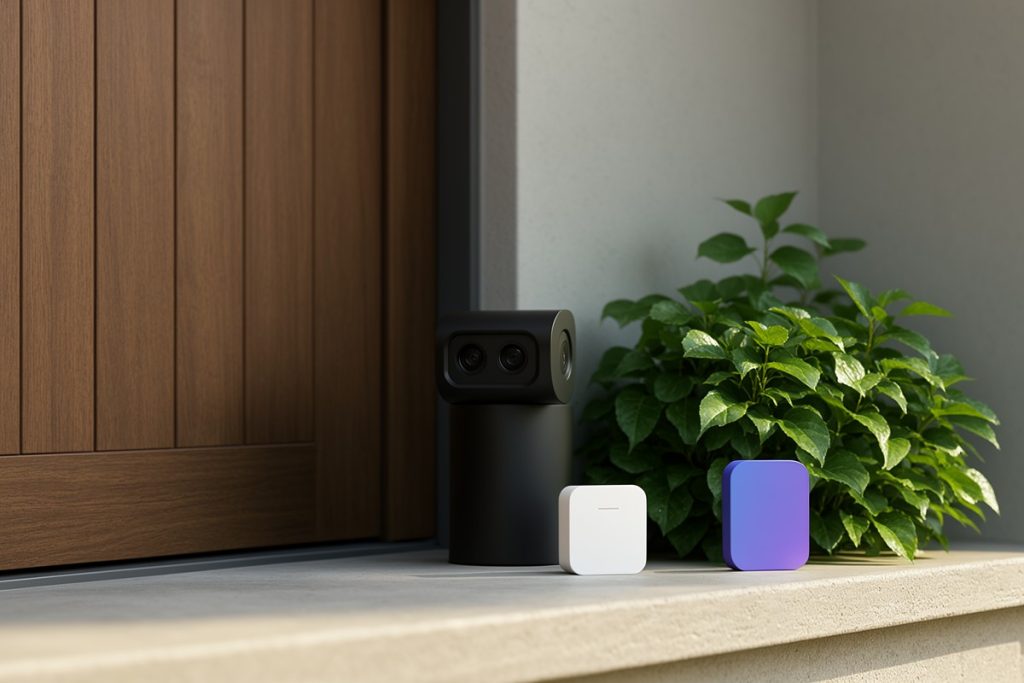
For a straightforward multi-camera setup, the approved Blink Outdoor 4 three-camera system is one option to evaluate. Its listed configuration includes wireless cameras, 1080p HD daytime and infrared night live view, two-way talk, a stated two-year battery life, and a Sync Module Core. Those features can suit someone who wants outdoor monitoring without running power cables, but battery duration can vary with use, settings, signal conditions, temperature, and other factors.
The system is not automatically the right choice for every home. Compare its account protections, storage terms, app controls, subscription requirements, weather placement guidance, and privacy settings with competing products before buying. A camera with excellent image quality is a poor fit if it cannot be positioned without capturing areas you do not intend to monitor.
Complete this security checklist after installation
- Change any default password and use a unique account password.
- Enable two-factor authentication when available.
- Update the camera firmware, mobile app, and router software.
- Confirm that the Wi-Fi network uses WPA2 or WPA3.
- Consider a separate network for cameras and smart-home devices.
- Review shared users, permissions, and account recovery settings.
- Check whether live feeds or recordings are encrypted according to the manufacturer’s documentation.
- Turn off features you do not use, such as unnecessary audio or remote access.
- Test the camera at day and night, then adjust its field of view for privacy.
- Set a calendar reminder to review updates and authorized users.
Manage recordings and remote viewing carefully
Remote access is convenient when checking a property while traveling, but convenience should not mean unlimited access. Keep the viewing app updated, use a device protected by a screen lock, and avoid signing in to camera accounts on shared or public computers.
Think carefully about retention. Save only the footage you need, delete old recordings when appropriate, and review who can view or download clips. If a camera captures audio, decide whether that feature is necessary. Audio can make a device more intrusive than video alone.
When someone else needs access, use individual permissions if available rather than sending your main password. Remove temporary access after a house sitter, contractor, or family visit ends. This small maintenance step is easy to overlook and prevents old permissions from lasting indefinitely.
What to do if you suspect unauthorized access
If the camera behaves unexpectedly, shows unfamiliar account activity, or appears to have been accessed by someone else, change the account password immediately and sign out other sessions if the app provides that option. Enable two-factor authentication, update the camera and router, and review shared users.
Check the router’s connected-device list for anything unfamiliar. If you cannot regain confidence in the setup, disconnect the camera, reset it according to the manufacturer’s instructions, and reinstall it with new credentials. Preserve relevant account alerts or access records if you may need customer support.
Security is not a one-time purchase decision. Revisit the camera’s access list, software status, network placement, and viewing angle every few months. That routine helps keep a useful smart-home device from becoming an overlooked doorway into private household information.