
Quick answer
Matter and Wi-Fi are not competing types of smart lamp technology. Wi-Fi describes how a device connects to your network, while Matter is a compatibility standard that helps devices work across supported smart-home platforms. For beginners, a Matter-compatible Wi-Fi lamp is usually the more flexible choice, but you still need to check platform support, setup requirements, available controls, and whether the lamp fits your space.
Key takeaways
- Matter is a smart-home standard; Wi-Fi is a connection method. A lamp can use both.
- Matter can make switching between supported platforms easier, but feature support may vary.
- Check whether the lamp is corded, which ecosystems it supports, and whether a compatible controller is required.
- Buy for the physical job first: bedside lighting, desk lighting, or accent lighting.
Choosing a smart lamp can feel unnecessarily complicated. Product pages mention Wi-Fi, Bluetooth, Matter, Alexa, SmartThings, Thread, scenes, hubs, and apps—often without explaining how those pieces fit together.
The most useful distinction is simple: Wi-Fi tells you how the lamp communicates, while Matter helps determine which smart-home systems can understand it. Once you separate those ideas, it becomes easier to compare lamps without assuming that every “smart” feature works everywhere.
What Matter changes for a smart lamp
Matter is an industry-backed smart-home standard designed to improve interoperability between devices and platforms. In practical terms, a Matter-compatible lamp may be able to join more than one supported ecosystem instead of being permanently tied to one manufacturer’s app.
Matter does not replace your home network. It uses IP-based networking and can operate over technologies such as Wi-Fi or Thread, depending on the device. That means “Matter lamp” and “Wi-Fi lamp” are not opposites. A lamp can be a Wi-Fi device and also support Matter.
The benefit is flexibility. If you start with Alexa and later move to another supported platform, a Matter device may be easier to bring along than a lamp that works only through a proprietary app. It can also reduce the need to research whether a particular brand has built a separate integration for your chosen platform.
There are limits, however. Matter support does not guarantee that every feature appears in every app. Basic functions such as power, brightness, and color may be widely supported, while advanced scenes or brand-specific effects may remain available only through the manufacturer’s app.
Matter versus Wi-Fi smart lamps
| Feature | Matter-compatible lamp | Wi-Fi-only lamp |
|---|---|---|
| Connection | May use Wi-Fi or another supported network technology | Uses Wi-Fi, usually through the manufacturer’s system |
| Platform flexibility | Designed to work with supported Matter ecosystems | Depends on the brand’s listed integrations |
| Basic controls | Often includes power, brightness, and color | Usually includes controls in the brand app |
| Advanced features | May vary by platform | Often strongest in the manufacturer’s app |
| Best for | People who want ecosystem flexibility | People already committed to one brand or app |
A Wi-Fi-only lamp is not automatically a bad purchase. It may be the better option if it has the exact physical design, control method, or price you need and you are comfortable using its app. Matter becomes more valuable when you want to avoid being locked into one platform or expect your smart-home setup to change.
Questions to ask before buying
Start with the room, not the protocol. A smart lamp still needs to provide useful light in a convenient form. A small bedside lamp may be excellent for ambient color but less suitable as the only light for reading or detailed desk work.
- Where will it live? Confirm its size, cord length, switch location, and whether the lamp needs a nearby outlet.
- Which platform do you use? Look for explicit support for your current system rather than assuming that “smart” means universal.
- Do you need a hub or controller? Matter setup requirements can differ based on the network technology and ecosystem.
- Which features matter? Check whether dimming, color adjustment, touch controls, voice commands, and scenes are supported in your preferred app.
- What happens if the internet is unavailable? Review the manufacturer’s documentation to understand which controls depend on cloud services.
Also check the difference between compatible with Matter and certified for the exact setup you want. Your phone, smart speaker, hub, and app may each have their own requirements. Compatibility is a starting point, not a promise that every device will pair identically in every home.
Is the Govee RGBIC Smart Table Lamp 2 a sensible example?
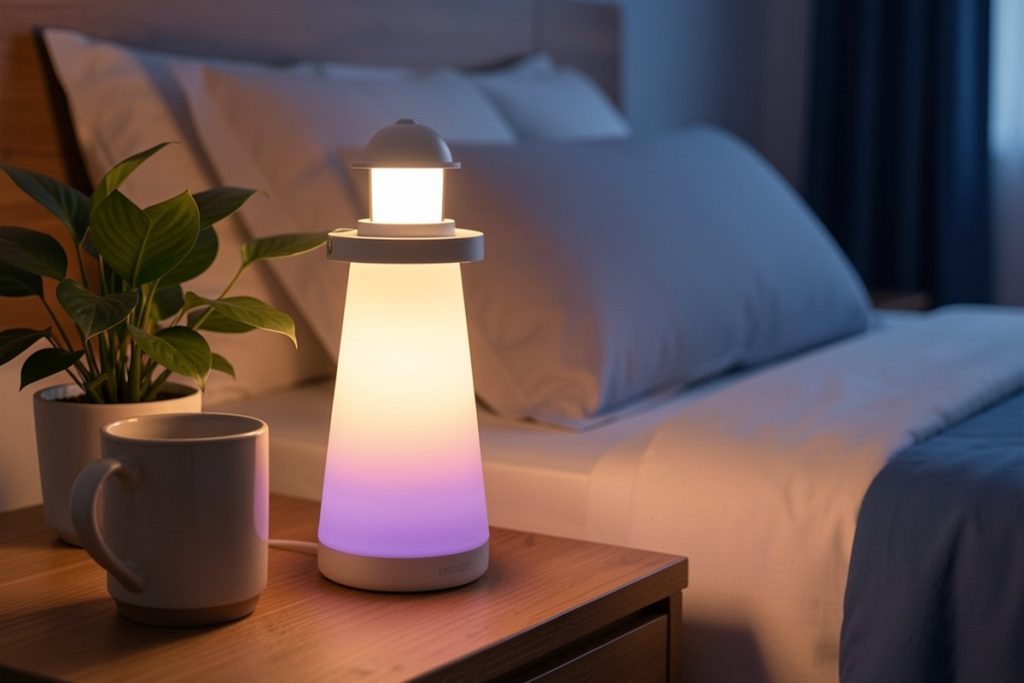
If your problem is choosing a colorful bedside or desk lamp that can fit into more than one smart-home ecosystem, the Govee RGBIC Smart Table Lamp 2 is relevant to consider. Its product listing describes a corded table lamp with touch control, compatibility with SmartThings, Matter, and Alexa, and 64 scene modes.
Those details make it a better fit for someone who wants flexible control and decorative lighting in a compact room setup. Matter support may be useful if you already use a compatible platform or do not want your next lamp tied to a single ecosystem.
The trade-offs are just as important. It is a corded table lamp, not a replacement for a ceiling fixture or a way to make an existing bulb Matter-compatible. Its colorful scene features may appeal more to people seeking atmosphere than to someone who needs focused, neutral task lighting. You should also confirm which features are exposed through your chosen platform before buying; support for the lamp does not necessarily mean every scene or effect is available everywhere.
A simple setup checklist
Once you choose a lamp, keep the setup methodical:
- Confirm that your smart-home platform and controller support the lamp’s Matter connection.
- Install required app and device updates before beginning setup.
- Follow the manufacturer’s pairing instructions and use the official Matter setup path when applicable.
- Test basic on/off, brightness, color, touch, and voice controls separately.
- Keep the device instructions and setup information somewhere accessible in case you reset the lamp later.
If an AI assistant helps you interpret a product page, ask it to separate confirmed specifications from assumptions. It can explain terms such as Matter, Wi-Fi, and Thread, but it cannot verify your home’s compatibility unless you provide the exact platform, controller, and device details.
Bottom line
For most beginners, the best choice is not simply “Matter” or “Wi-Fi.” Look for a lamp that uses a connection your home supports and offers Matter if you value platform flexibility. Then evaluate the practical basics: useful brightness, physical placement, controls, corded design, and access to the features you actually want.
A Matter-compatible Wi-Fi lamp can be a smart long-term choice, especially in a changing smart home. But a well-designed Wi-Fi-only lamp may still serve you better if it fits your room and preferred app more closely. The protocol matters; the everyday lighting job matters more.
Last reviewed: 2026-10-12