
Quick answer
A useful home AI workspace needs more than an AI app. Start with one clearly defined task, establish rules for sensitive information, and create a calm setup that is easy to repeat. Good lighting, organized accessories, multifactor authentication, and a human review step can reduce friction without encouraging you to trust automated output blindly.
Key takeaways
- Choose one measurable AI task before buying equipment or adding another tool.
- Separate public, internal, and sensitive information before entering anything into an AI service.
- Use localized lighting to improve a compact workspace, but do not confuse it with an AI or privacy feature.
- Verify important AI-generated claims, calculations, citations, and recommendations against reliable sources.
Start with the problem, not the gadget
A productive AI workspace begins with a task that is slow, repetitive, or difficult to organize. Common examples include summarizing meeting notes, comparing research, drafting routine emails, organizing project knowledge, or checking code. Each task requires a different level of automation and human judgment.
Write the desired result in one sentence. “Produce a first draft I can edit” is a more useful target than “make this perfect.” Then decide what information the tool needs, what the finished result must contain, and who will approve it. This prevents a fluent but unsuitable AI response from becoming the goal.
| Workspace problem | Better design choice |
|---|---|
| Too many tools and browser tabs | Choose one primary AI tool and one place to save approved outputs. |
| Sensitive information is easy to paste | Create a visible rule for what never enters an unapproved service. |
| AI drafts require extensive editing | Provide source material, constraints, and an example of the desired format. |
| Work starts slowly | Keep the same notebook, accessories, and opening checklist together. |
Set a clear privacy boundary
Every AI prompt is also a data-handling decision. A practical starting point is to sort your inputs into three groups:
- Public: information already intended for broad distribution, such as a published product description.
- Internal: work material that should remain within your organization or approved tools.
- Sensitive: personal data, passwords, confidential contracts, unreleased plans, or information that could harm someone if exposed.
For internal and sensitive material, follow your employer’s approved workflow rather than assuming a consumer AI service is appropriate. Review the provider’s current privacy, retention, account, and training settings before uploading anything. These policies and controls can change. If you cannot explain where an input goes, who may access it, and how long it may be retained, pause before using the tool.
Multifactor authentication is also worthwhile for AI accounts, especially when they contain private conversations, business material, or connected services. Separate work and personal browser profiles can reduce accidental crossover, while a password manager can make unique passwords easier to maintain. These steps do not make an AI service automatically trustworthy; they simply reduce common account and workflow risks.
Design a calm, repeatable physical setup
You do not need a futuristic room. The most useful setup removes small interruptions, such as searching for a charger, working under harsh ceiling light, or moving between several surfaces. Keep the primary work area clear enough that you can begin without rearranging it.
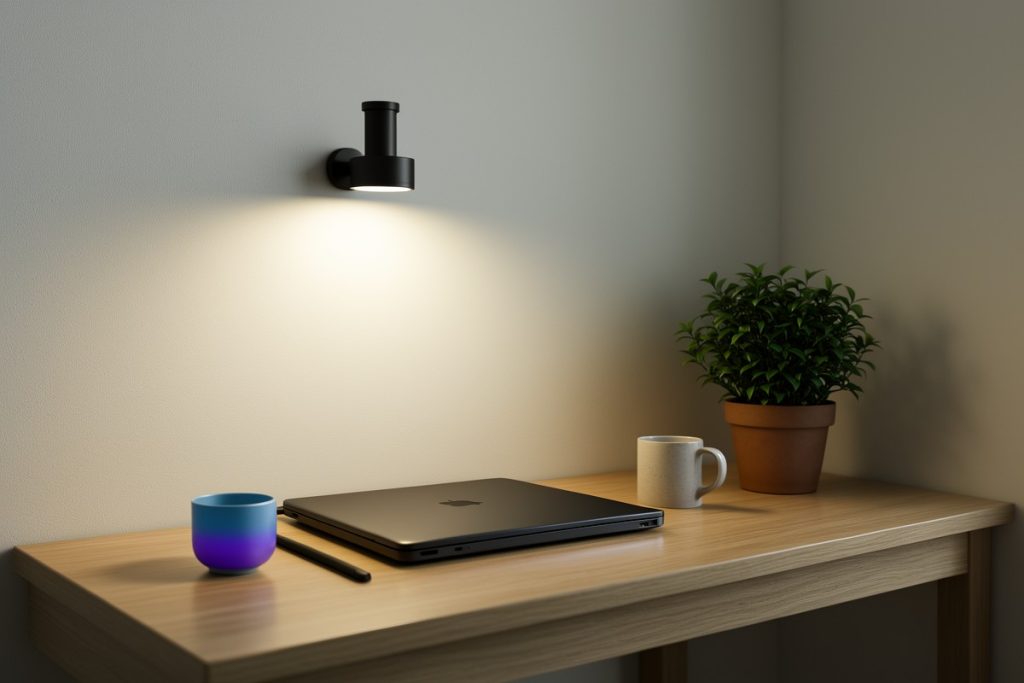
Lighting deserves a simple practical test. Aim for even illumination on the work surface, with no bright source directly in your eyes and no strong reflection from glossy materials. A compact adjustable or motion-triggered light may help illuminate a shelf, cabinet, or secondary surface where a full desk lamp would be awkward.
For that narrow use case, the EZVALO Under Cabinet Lighting with Charging Station, Motion Sensor Lights | 6-Pack with Remote, 2000mAh Rechargeable Battery, Wireless, Magnetic, Timer, 3 Color Temps, Kitchen, Closet and More is one option to compare. Its listed features include wireless magnetic mounting, motion sensing, a remote, a timer, rechargeable batteries, and three color temperatures. That makes it a lighting accessory for a compact workspace, not an AI control hub, privacy tool, or substitute for broad room lighting.
Before choosing it, check whether the mounting surface is suitable, whether motion activation fits your routine, and whether the charging process adds more maintenance than it removes. A wider task light may be better for a large desk, while a simpler lamp may be preferable if you do not need cabinet or shelf lighting.
Build a five-step AI workflow
- Define the job. State the audience, output format, length, deadline, and what “done” means.
- Provide useful context. Give relevant source material, separate facts from assumptions, and remove unnecessary personal or confidential details.
- Request a draft, not a verdict. Ask the tool to identify uncertainty, missing information, or alternative approaches when judgment matters.
- Verify important claims. Check names, dates, calculations, quotations, citations, and recommendations against the original source.
- Record what worked. Save the final prompt or workflow version, the source set, and the human edits that improved the result.
For repeated work, create a short prompt template with fields for role, objective, context, constraints, output format, and review criteria. Keep it editable. A rigid template that no longer matches the task can create more work than it saves.
Use this 10-minute setup checklist
- Remove one unnecessary notification or device from the work area.
- Choose the single AI task you will evaluate this week.
- Write down what data is allowed, restricted, and prohibited.
- Position the light and chair so the same starting setup is easy to repeat.
- Turn on multifactor authentication and review the AI account’s privacy controls.
- Define one quality check before accepting generated output.
Measure whether the workspace helps
After a week, review four signals instead of relying on novelty. How long does it take to start? How often do you switch away from the task? How much editing does an AI draft require? Did private information enter the wrong tool or account?
A basic scorecard is enough. Record the task, time spent, rework required, and one error or omission caught during review. Compare several sessions with the setup against your normal process. If the lighting, layout, or AI tool adds friction, change or remove it. The purpose of a workspace is to make good decisions easier, not to justify equipment.
Know when a different setup is better
A compact under-cabinet light makes the most sense when your work surface sits beneath a shelf or cabinet, or when you need localized illumination without permanent wiring. Choose a broader task light for even coverage across a large desk. Choose a simpler setup if motion activation interrupts concentration or rechargeable accessories create another maintenance task.
The same principle applies to AI software. Do not adopt a tool simply because it has more features. A smaller, approved workflow with clear review steps is often better than a collection of assistants receiving overlapping information. Start with one measurable problem, protect the data involved, and keep only the tools that reduce friction without hiding risk.
Last reviewed: 2026-10-23