Quick answer
A privacy-conscious smart air-quality setup combines a purifier, sensor data, and limited automations without making your home unnecessarily dependent on the cloud. Choose clear controls, suitable filtration modes, and a documented privacy policy. Place the unit correctly, observe air-quality changes before automating, and treat alerts as useful guidance—not a replacement for ventilation or removing pollution sources.
Key takeaways
- PM2.5 readings show one part of indoor air quality, not every pollutant or health risk.
- Automation works best when it responds to defined conditions, such as a sustained rise in particulate matter.
- Wi-Fi and voice features add convenience but also introduce accounts, permissions, and potential cloud-data exposure.
- Review filter costs, app permissions, update support, and room suitability before buying a connected purifier.
Why smart air cleaning is an AI and technology problem
A connected air purifier sits at the intersection of sensors, software, home networking, and physical hardware. That makes it a useful example of where “smart home” marketing can either solve a real problem or add complexity without much benefit.
The useful question is not whether a device claims to be intelligent. It is whether the system helps you make a better decision: increase airflow when particles rise, reduce fan noise while you sleep, or remind you when maintenance is due. A good setup turns a measurable signal into a simple action. A poor one collects data, requires several accounts, and still leaves you guessing about what the reading means.
Before buying, define the problem. Are cooking particles lingering? Do you want quieter overnight operation? Are you trying to monitor changes near a workspace? A specific goal makes it easier to decide which features matter and which are merely decorative.
Understand what a PM2.5 sensor can tell you
PM2.5 refers to fine particulate matter with a diameter of 2.5 micrometers or smaller. These particles can come from combustion, smoke, cooking, outdoor air, and other sources. A PM2.5 monitor can help reveal changes over time, but it does not provide a complete profile of indoor air.
A particle reading does not automatically measure carbon monoxide, radon, volatile organic compounds, humidity, mold, or carbon dioxide. It also should not be treated as a medical diagnosis. Sensor placement, airflow, dust, cooking steam, and differences in calibration can affect readings.
Use the monitor as a trend tool. Observe the baseline when the room is quiet, then note what happens during cooking, cleaning, opening windows, or outdoor smoke events. Look for repeatable patterns rather than reacting to every single number. This approach is more reliable than assuming one reading explains the entire home.
Build a simple smart-home air-quality architecture
A practical setup has four layers. First is the physical intervention: a purifier with an appropriate filter and enough airflow for the room. Second is sensing: the device’s built-in monitor or a separate sensor that measures the condition you care about. Third is control: buttons, an app, voice commands, or an automation platform. Fourth is review: a routine for checking filters, permissions, and whether the system is actually helping.
Start with manual control for several days. Learn how the room behaves before creating rules. Once you understand the pattern, use one or two automations with clear thresholds. For example, a rule might raise the fan when particulate levels remain elevated for a set period, then return to a quieter mode after conditions improve.
Avoid aggressive rules that constantly switch the fan between modes. Frequent changes can be distracting, may increase wear, and make it difficult to tell whether the automation is working. If the device cannot explain why a mode changed, keep the schedule simple and predictable.
Compare the features that matter
| Need | Look for | How to evaluate it |
|---|---|---|
| Reduce particles in one room | Appropriate filter type and stated room guidance | Match the device to the room and keep doors and airflow in mind. |
| Track changes | PM2.5 monitoring with readable history or clear status feedback | Compare trends during repeatable events, not isolated readings. |
| Use automation | Reliable auto mode, schedules, or documented integrations | Check whether controls require the cloud and what happens offline. |
| Protect privacy | Transparent permissions, account controls, and update information | Limit access to what the app genuinely needs. |
| Control long-term cost | Accessible replacement filters and a maintenance indicator | Confirm the filter model and replacement process before purchase. |
Where the DREO purifier fits—and what to verify
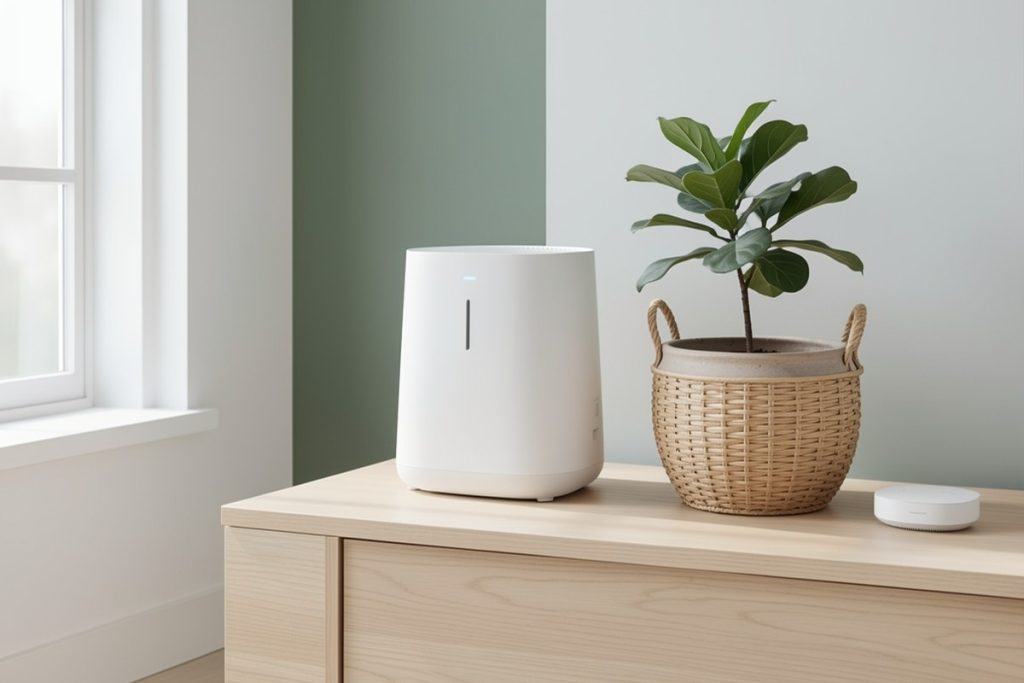
For someone seeking a single-room smart-home device with Wi-Fi, voice control, a PM2.5 monitor, several fan speeds, and quiet or automatic modes, the DREO Smart Pet Air Purifier 539AS is a reasonable candidate to compare. Those listed features fit the use case of connecting air cleaning with simple home routines.
That feature list is not proof that it is the right choice for every room or household. Before purchasing, verify the current room-size guidance, filter replacement details, app permissions, supported voice platforms, offline behavior, and any subscription requirements. Also consider whether you need a connected product at all. If manual controls meet your needs, a non-connected purifier may reduce setup and privacy overhead.
Do not assume that a quiet-mode rating, sensor reading, or advertised filtration feature will match your experience in every room. Room layout, fan speed, background noise, cooking habits, and maintenance all affect practical results. Treat manufacturer specifications as a starting point and compare them with your priorities.
Protect your data without losing convenience
Any Wi-Fi appliance creates a small security and privacy decision. The device may require an account, communicate with a mobile app, connect to a voice assistant, and send operational data through a vendor’s servers. None of that automatically makes it unsafe, but each connection deserves review.
Use a unique password for the device account and enable multifactor authentication if offered. Keep the app and router firmware updated. Review permissions before granting access to location, contacts, microphones, or other phone features. If voice control is unnecessary, leave it disabled. A separate guest or smart-device network can also limit how an appliance interacts with other devices on your home network.
Check the vendor’s privacy policy for the types of data collected, retention periods, sharing practices, and account-deletion process. NIST’s IoT guidance emphasizes capabilities such as secure configuration, data protection, software updates, and awareness of a device’s cybersecurity state. These are more useful evaluation criteria than a vague promise that a product is “AI-powered.”
A practical setup checklist
- Place the purifier where air can move freely, away from curtains, walls, and blocked furniture.
- Record a baseline reading before creating automations.
- Test one trigger at a time and use a delay to prevent constant mode changes.
- Keep ventilation and source control in the routine: use kitchen exhaust, address smoke sources, and follow local safety guidance.
- Schedule filter checks and review the app’s permissions after installation.
- Reassess after two weeks: keep only automations that save effort or improve consistency.
Smart air cleaning is most useful when the technology stays in the background. A sensor can reveal patterns, software can reduce repetitive decisions, and a purifier can respond consistently. But the strongest setup remains understandable, maintainable, and proportionate to the problem. Start with a clear goal, collect only the data you need, and keep a manual fallback.
Last reviewed: 2026-08-21
Sources
- Air Cleaners and Air Filters in the Home — U.S. Environmental Protection Agency
- Particulate Matter (PM) Basics — U.S. Environmental Protection Agency